


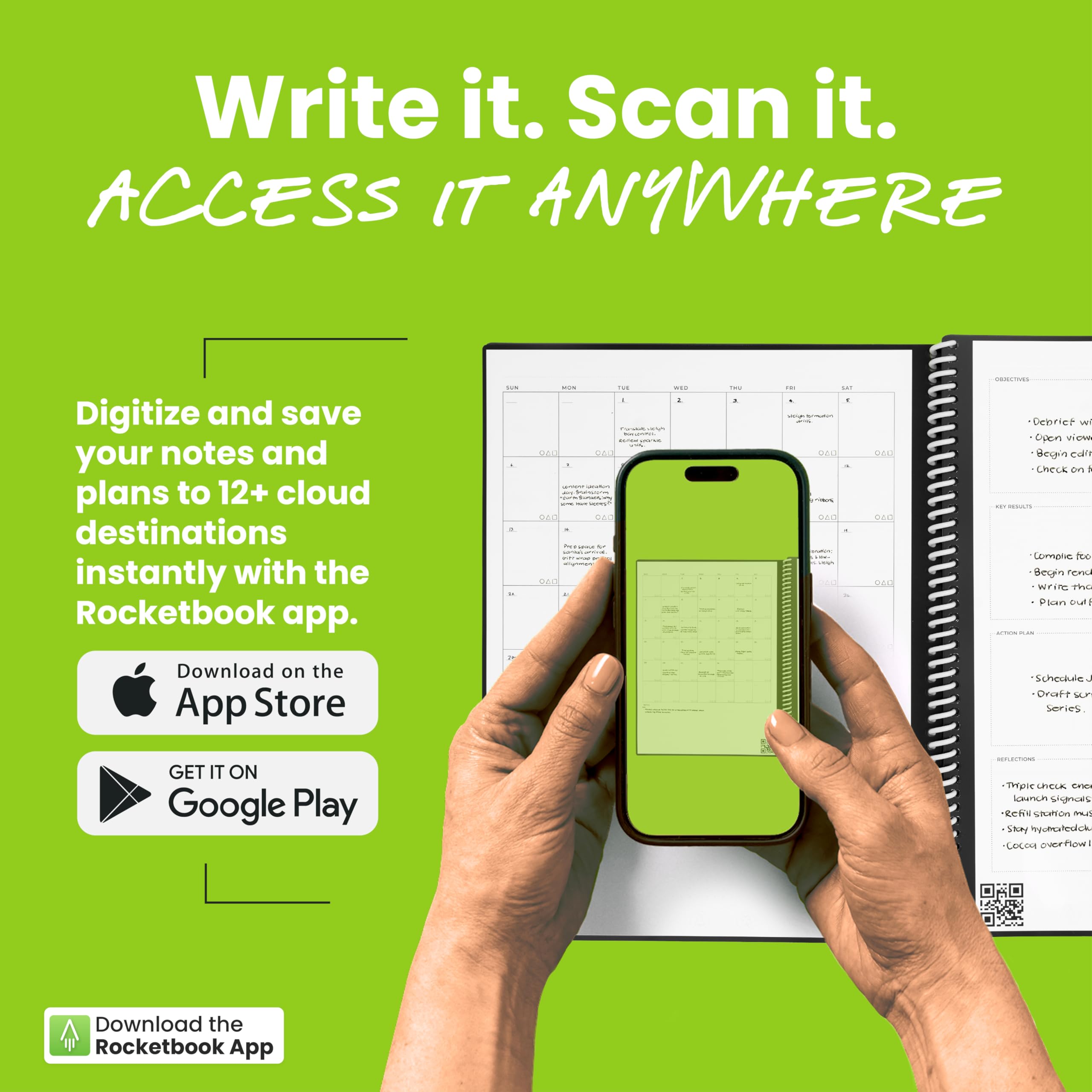
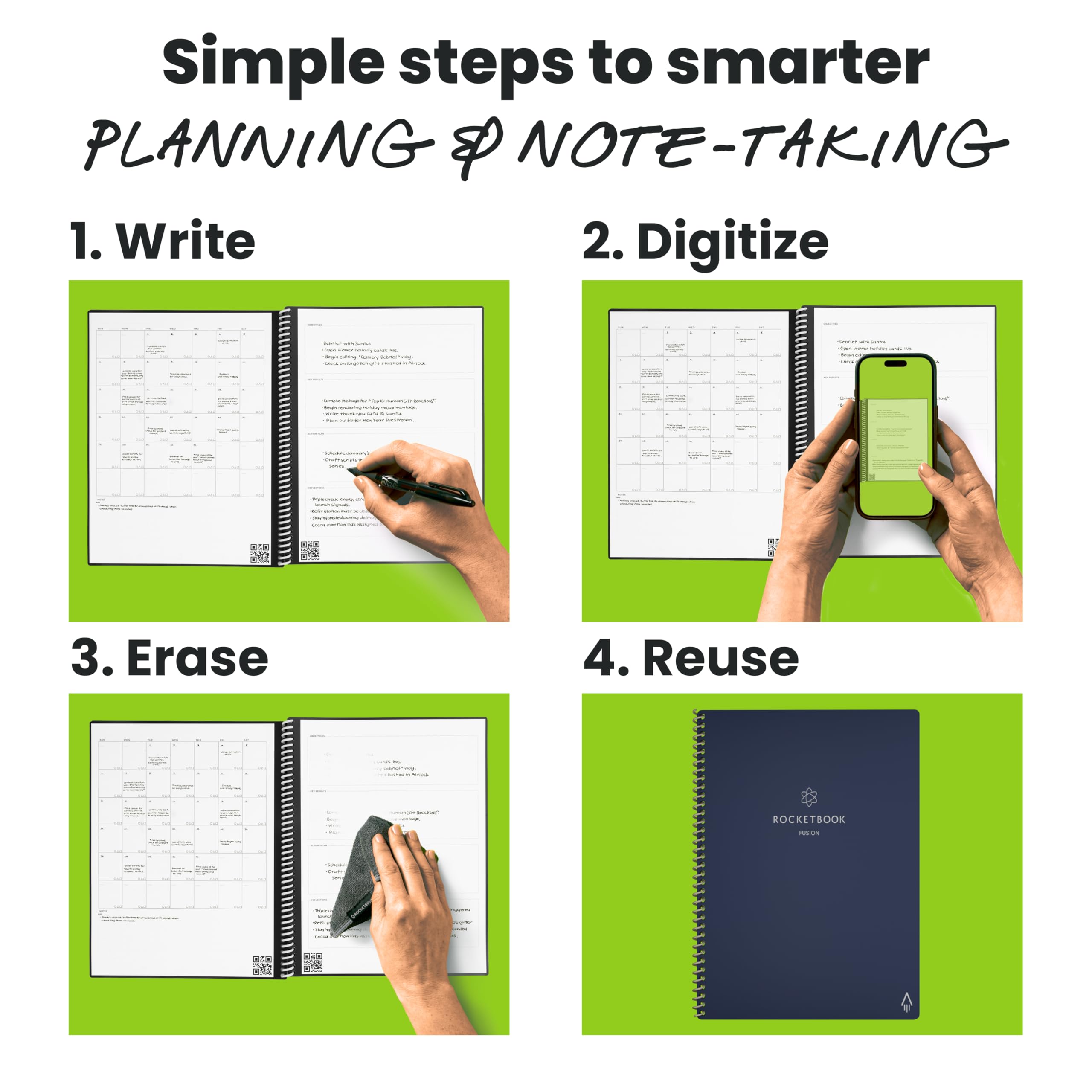
♻️ Plan smarter, erase faster, and never miss a beat!
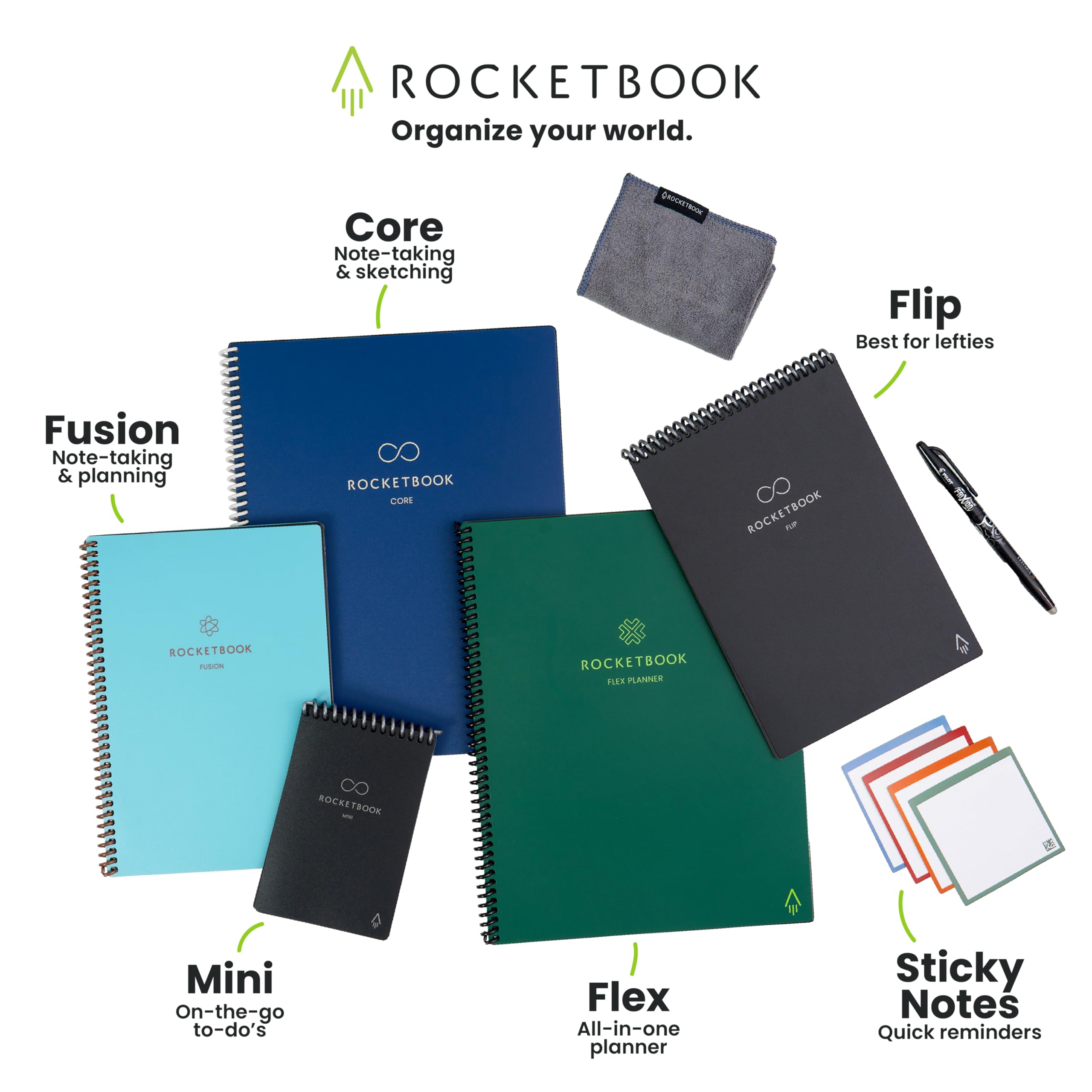
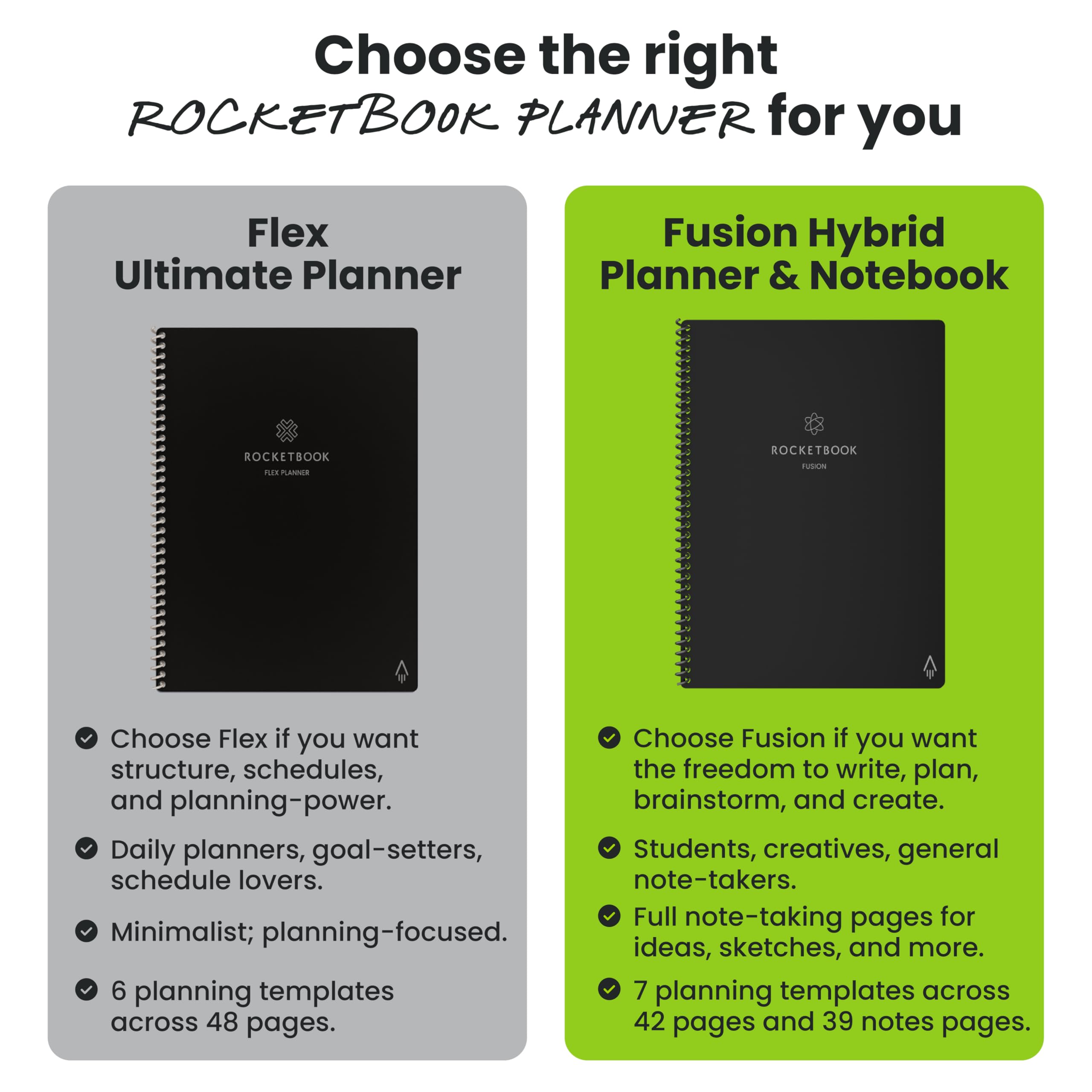
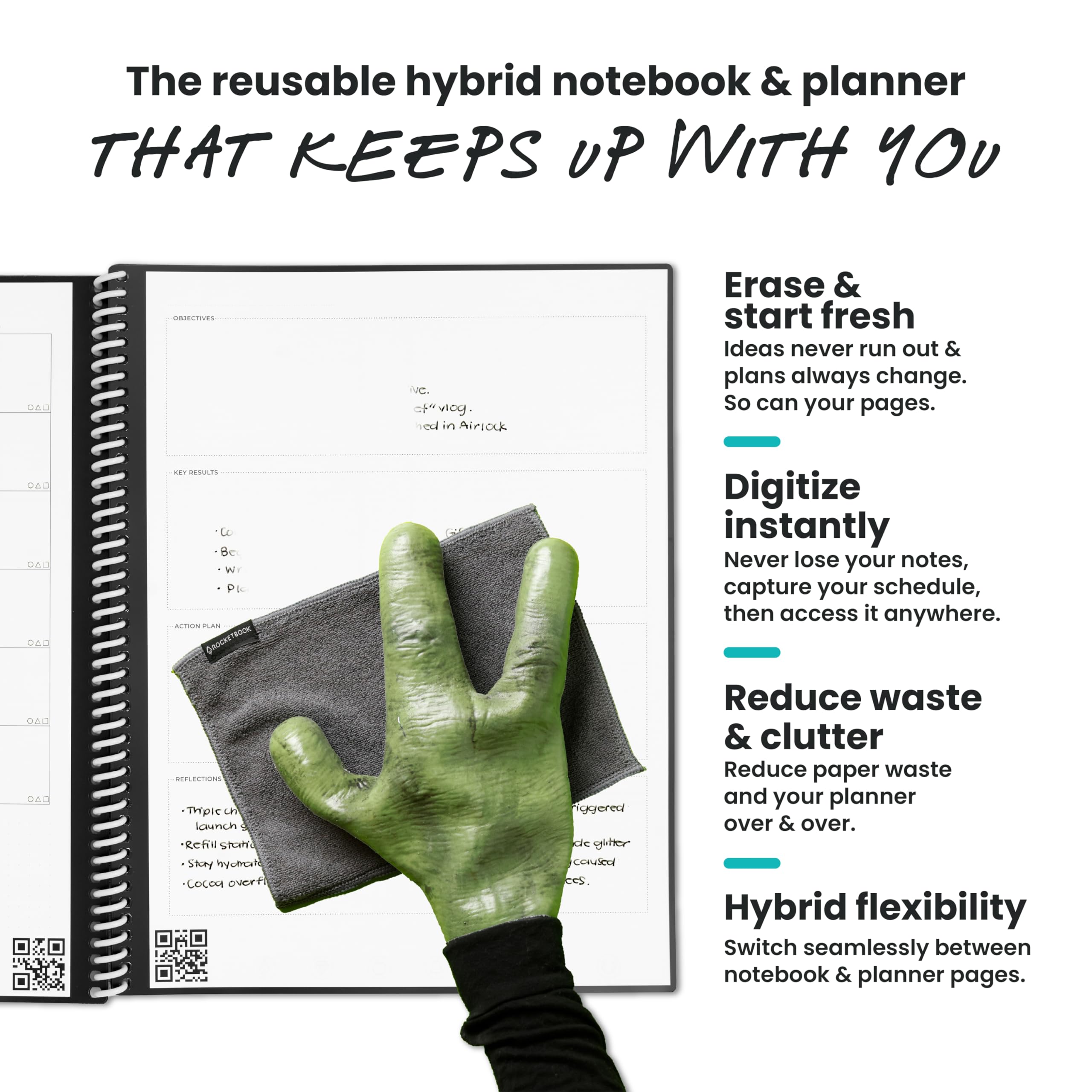
The Rocketbook Fusion is a reusable, undated planner and notebook hybrid featuring 7 versatile page templates designed for professional and personal productivity. Using the Pilot Frixion pen, users can write, digitize via the Rocketbook app with cloud syncing, then erase pages with a damp cloth to reuse. Its durable faux leather cover and spiral binding ensure longevity, while its eco-friendly design reduces paper waste, making it ideal for millennial managers seeking sustainable, tech-savvy organization.


| ASIN | B07ZHZFZGB |
| Best Sellers Rank | #7,080 in Office Products ( See Top 100 in Office Products ) #149 in Planners (Office Products) |
| Binding | Office Product |
| Brand | Rocketbook |
| Brand Name | Rocketbook |
| Color | Navy Blue |
| Cover Material | Faux Leather |
| Customer Reviews | 4.4 out of 5 stars 50,342 Reviews |
| Global Trade Identification Number | 00850007403577 |
| Item Dimensions L x W | 11"L x 8.5"W |
| Item Dimensions L x W x Thickness | 8.5"L x 11"W x 0.4"Th |
| Item Height | 0.5 inches |
| Item Weight | 0.71 Pounds |
| Manufacturer | Rocketbook |
| Number of Items | 1 |
| Number of Sections | 7 |
| Pages | 42 |
| Paper Size | 8.5 x 11 inches |
| Pattern | Blank Book |
| Ruling Type | Dotted |
| Sheet Size | 8.5 x 11 inches |
| Special Features | Soft Cover |
| Style | Notebook |
| Theme | Book |
| UPC | 850007403577 |
| Unit Count | 1.0 Count |
R**R
Indispensable Tool for Teachers and Students!
I absolutely love my Rocketbook Fusion! As a current student and future teacher candidate, I not only have notes from my college courses, but also have preliminary lesson plans and observational notes that are critical to my field preparation which means I am taking countless handwritten notes. As someone who cares about the environment, it matters to me that I am utilizing products that lessen that environmental impact, since you can reuse the pages. Oftentimes I don't even need to print the pages because I can view them in the easy-to-use Rocketbook App, and just print out what I need which is why the Rocketbook works for me. Additionally, some of my teachers in my college courses don't allow laptop use in the classroom. The Rocketbook is my #1 go to in these courses! I can just write out my notes, scan them after class, and still have a high tech solution for note taking while following the expectations for my courses. The Fusion is such a timesaver as it is so convenient to send my notes to my email so I can review them at my convenience. This has come into handy often. Case in point, I left my Rocketbook at home and I needed my notes for a school project, but couldn't drive two hours to go home, pick up my Rocketbook, and drive back with it because I needed them to collaborate with my colleagues. (Honestly it was embarrassing to admit that I left my notes at home too!) But because I had my notes both in my Rocketbook App and in my email, I could just could retrieve them them, print them out on a wireless printer, and my colleagues could view them right away and start work on the project not wasting any valuable planning time. Rocketbook saves the day! Of course you never want that to happen, but it is nice peace of mind knowing that once you scan your notes, your notes are with you at all times, via your Rocketbook phone app and/or email. The Rocketbook app is so easy to set up and use, permitting me more time to focus on my schoolwork or planning. I am not super computer savvy but basically you download the Rocketbook App, assign where you want your documents to go, write away, check off where you want it sent at the bottom of the page, and scan your QR code on each page. Super easy. (I also like that it will sort anything by name if you enclose the title into two hashtags before and after the title like this ##title## at the top of the page. This means I don't even have to think about how to file it, and will know how to find it!) When you get into the app, there are also some free pages you can download and print out for one use purposes that can also work with the app. These are awesome! There are more lined pages, music pages, and graph paper for math students. Why is this amazing you ask? These are nice for taking notes in if you are working in groups in class and have to turn in your work. Normally you wouldn't be able to keep a copy because you have to turn it in, but fear not! Because you have preprinted out pages beforehand and scanned them, you can now turn them in, and even email them later to the whole group! You can have a copy to refer to for studying for a future test! The possibilities with Rocketbook are endless! I prefer the Letter-size version since typically my notes should be on standard-sized paper. I find the 7 different template styles included in my Rocketbook very useful for my purposes. The planning pages help me view what "to do" items I have scheduled, the agenda helps me plan 2 weeks at a time, which is invaluable as a student, the calendar template helps me plan out a whole semester with assignments, idea planning template helps me with planning ideas for future lesson plans for teaching, blank pages help me map out and diagram lesson planning webs or visuals to work out projects. The lined paper is my favorite template since it helps keep my writing looking neat and organized. I love too that all my notes which are colored coded, actually scan in color, continually helping me to stay organized as sometimes I use different colors for different subjects and can tell at a glance which subject I am looking at without reading all the text. Just a few notes. I have only used Frixion brand products in my Rocketbook. I have never had any issues with not being able to erase notes or notes disappearing on me, however I am careful not to leave my Rocketbook Fusion in my car. I recommend using only Frixion brand just because it seems to work really well with these pages. The ink does need a sec to dry before turning pages because it can smear on occasion, but then I just erase it and rewrite it again, not an issue at all. Lasly, I like the thickness of the pages and quality of my Rocketbook. It is extremely durable. It also reduces the need for me to carry a number of notebooks to class, since now I just bring the one. I am extremely satisfied with my Rocketbook Fusion and highly recommend it as an indispensable tool for any student or teacher for all these reasons and more! Hope you give a try, as I am happy I did! I love it!!!
J**R
Great GREEN Solution for Organization and Note Retrieval
Some background: I have been using various forms of bullet-journaling for about 5 years. Regardless of how elaborate I make my journal, one thing always sticks: the bulleted task list. I also take notes on everything at work. I work full time in a managerial role, go to school full time for an advanced degree, and am a single mom. Organization is essential for me. I bought the exec size. I’ve already bought a letter-size panda planner that I haven’t received yet because I love it so much. This is the BEST way I’ve ever found to take all the notes I take and store them in a way that I can easily search and retrieve. So here’s what I love about this notebook: 1. I love that it comes with a few pre-built tools like a monthly calendar, goals list, smart list, etc. 2. Overall size and style. This is thin with a poly cover in a muted color (I got the teal-ish one) that is good quality, attractive, professional looking, and not too bulky to keep me from packing it all the time. 3. Pages are thick and durable. 4. Auto-send features are so convenient! 5. ## DOCUMENT TITLE ## Brilliant!!!! 6. Wide variety of pen/highlighter/marker styles so I don’t feel limited if I want to be more creative. I have multiple colored ball point pens, fine line markers, and highlighters! 7. Truly and fully eraseable both with PRN erasers and damp microfiber cloth included. 8. The pens can be used on normal paper so I don’t need more office supplies! (And they erase just fine on regular paper, too.) 9. GREEN GREEN GREEN 10. Well-priced for what you get and what it does. Things I don’t like or took a bit to figure out: 1. To use with cloud drives or one note, you have to grant access to all files in your drive or one note. I work for an organization that has strict information security. I will never be able to send directly to my drive or one note so will always have to use email to save notes. It’s workable, but it took a minute to figure out the best workflow to make this as efficient as possible. I use Office 365 primarily. 2. The lines on lined pages and dots on dot matrix are really faint. They seem much lighter than the pre-made pages like the calendar and smart list. It can be harder to use if you don’t have great lighting. (Or maybe I’m just old and have bad eyes.) 3. Some colors don’t scan well (yellow, pink) if lighting isn’t good. If you use them in a smart list, you can’t see them at all because it does this pink background? 4. I feel like I am not using all the smart list functionality. I’m sure that pink background means something and does something, but I haven’t figured it out yet. Which leads me to.... 5. Pretty sparse instructions. I feel like the instructions it does contain are on the more intuitive features and what I really want is instruction on more advanced uses. 6. I have poor WiFi in my office. My scans there sometimes don’t work or take a really long time to send to the assigned destination. Other tips: I’ve added adhesive notebook tabs to a few pages to make finding the section I want a bit easier. Definitely use the ## Title ## feature! It really save a ton of time. Ungroup scans when setting up destinations.. Buy a little travel size misting sprayer to keep at your desk to wet your microfiber.
T**.
Great notebook, mediocre pen.
This notebook has become an indispensable part of my daily routine. I was previously using a traditional notebook and pen. The more I used it, the more organized I became; however, I began going through so much paper that it felt wasteful and left me with a couple of full notebooks sitting around that were of no further use. Carrying full-size notebooks in a Camelbak-sized backpack as a carry-on when flying was also a challenge. PROS: I had never heard of Rocketbook until a friend mentioned I should look into them as an economical replacement. After a couple days of researching, I ordered the Rocketbook Fusion - Executive size. As a self-employed business owner, organization and daily structure are both important for my productivity. With the pages including a monthly calendar, two-week planner, to-do-list style task page, and a page for the day's objectives, results, action steps, and reflections, it's incredibly convenient to use this notebook for all planning needs. The Executive size is also easy to travel with, and I can keep it on my when on the go for any ideas that pop up. Having a mix of dotted-grid pages and lined pages has served more useful than I expected, with the dotted-grid ones allowing more creativity (think wireframing) and the lined pages providing, well, lines. The included cloth erases well when damp, and pages dry pretty quickly from this. Setting up where you want to scan pages to and using the app is very easy, and I've even been able to lay pages of notes taken on other notepads onto a Rocketbook page, mark where I want to send it, and scan it to the destination within a few seconds. That alone makes Rocketbook worth it to use the app and organize past notes, and I wish I had had it for grad school. CONS: The pen eraser is convenient for small mistakes or when you don't have the cleaning cloth handy, but does leave slight marks that require the cloth to fully get rid of. The pen struggles to re-write over a pen-erased spot, so erasing with the cloth is necessary at some point. My natural handwriting speed is pretty fast, but when writing quickly with the included pen, the ink flow does not keep up, going on so thinly that many letters/words are faded and hardly readable. This forces me to slow down to an unnatural pace, so creativity and "idea dumps" get interrupted. The pen also has to be kept at a certain angle for ink to come out quickly when writing, so if you tend to write with the very tip of the pen (ie fairly perpendicular to the writing surface), you will probably struggle. The second thing that gets annoying for me is waiting for the ink to dry. When you write quickly and the ink goes on thin, it's not an issue, seemingly dry within a couple seconds; however, if you slow down to write more boldly, you may be left sitting there waiting for the ink/page to dry. I've taken to writing at my desk with a fan pointed toward the notebook to help speed this up, but I still often have to wait ~30 seconds before turning a page/closing the notebook. Lastly, after erasing a page with the cloth, the pen sometimes struggles to write on that same page again, and I either end up waiting a couple minutes for the page to apparently dry more (though it feels dry within seconds of erasing with the wet cloth), OR I have to write in an area that wasn't recently erased to get the ink flowing again. Despite these minor annoyances, I would highly recommend Rocketbook for anyone who uses notebooks often and who thrives on organization. Despite the pages having an almost gloss-like feel to them, the whole process does mimic typical pen and paper writing pretty well.
M**T
Really cool
Really cool idea. Makes organizing a breeze since you handwrite your notes. Easy to scan and upload to your desired location (think google drive, one note, email, etc..). Fun concept.
J**S
Best Product in 2020
I was sitting with my friends during lunch and I noticed two of my friends were writing in this unique, thin green notebook. At first, I was so confused, thinking they would run out of paper very quickly. However, when I asked them about their notebooks, they explained that Rocketbook is a reusable notebook! I was intrigued, and that night I bought the Rocketbook myself. I've never been more impressed with a product. I have been using it in class for about a month now and I absolutely love it! The sleekness of the design is amazing and it's so useful having 10 pages solely dedicated for letters. I never run out of space. I also have put the notebook in my backpack, and it's really durable! I accidentally found my notebook bent in my backpack, however, after 3 days, it was perfectly normal and good as new! I've been uploading all my notes onto my Google Drive. One time I was out at dinner and explaining to my parents what I learned in Econ class that day, however, I forgot a term. No worries. I pulled out my phone, went on Google Drive, and on my Rocketbook folder, there were my notes I had uploaded from that day! It's so useful. Now that my school has fully transferred online due to Coronavirus, I have never been more thankful that I have Rocketbook. I can do my math homework in the notebook and scan it. It stays as a PDF file which is exactly how my teachers want my homework/notes submitted! I'm so excited! Now, every product is not perfect, however, Rocketbook is pretty close! When I got the reusable notebook, one page fell out immediately. I think it might have been due to not being sealed, however, none of my other pages have fallen out yet, so I think it might have just been an accident. I am righthanded, so it is a little annoying that I constantly smudge my writing. And yet, I am obsessed with how tidy my work looks! Since I have so much space, I utilize it all! I've started showing all my work for my math class, which has gotten my grades to improve! I also bought about 12 different color erasable pens for the notebook and I've never been so proud of my neatness! I would ideally like them to release a highlighter that could work with this notebook, however, I am fine with using different color pens to make certain terms stand out. I have shared Rocketbook with my friends and family because I think the best thing about this notebook is that we are saving paper. Climate change is a problem that we need to combat now, and by simply switching to this notebook, I think we will be saving the Earth one tree at a time. On top of which, my classes are solely online now, and it's so beneficial to have a book that scans directly to my computer, making my life so much easier. I am so glad that my friends introduced me to this product because I don't know what I would do without my Rocketbook :)
A**R
Versatile & Easy to use
I've been using my Rocketbook since 1/1/2021 and I'm loving it. I was burdened by all the filled notebooks that I had and needed to keep, just in case I needed to refer back to my work notes. It's hard to find something you know might be in there without knowing when it might be. Enter Rocketbook. I can OCR my notes (with some corrections) and if I need something Windows can find it. I tested this feature out after accumulating a couple of weeks notes (saving each day as a separate file) and then asked Windows to find a particular phrase. It worked beautifully and finding multiple instances of that phrase--one I didn't even remember writing down. Ideally I would scan and OCR my notes daily, but in reality I do it about once a week. This means I have to set aside a little more time to correct the OCR translation of my not so great handwriting, but well worth it in the end. Though I bought a variety of Frixion pens, the ones I use every day are the ball clickers (.7mm). They write fairly well and scan easily--even the pink pen comes up well in the scans. I haven't used the markers as much for everyday notes--too thick. It's recommended that you use a spray bottle & a micro cloth for cleaning. I do that, but for everyday mistakes that's a little hard. It is NOT recommended to use the erasers that come on the pens--they not only smear, but the can remove the coating from your Rocketbook pages. I've found that using a water pen & a Q-tip works great for correction in little areas. The pen I use is: Pentel Japan Aquash Waterbrush Water Brush Pen, Fine. It gets into small areas with precision; I then use both sides of a Q-tip--one for absorption of the water & ink, and the other to dry. This allows me to make quick corrections and continue on without "waiting for the page to dry." When I do my mass cleanings (about every 2 weeks), I use a soft wet rag and a dry micro cloth. I wholesale wash down the pages and dry them. This process is a little slow as the drying does take time. I've tried it with the pages bound and unbound and have only seen a little improvement on the drying time of the unbound pages. One note I have is that right after I've cleaned the pages and they are dry there appears to be light impressions from the pen that are still there after cleaning, but after a couple of days those impressions disappear. My first (two) Rocketbooks were of the Fusion variety, as I didn't really know what I wanted. I like some of the planner pages and the lined pages, but only used the dotted pages when I ran out of lined pages. I have created some two page calendar pages using the dotted pages, but for me they weren't as useful. When I originally got the Fusion book it was the only one with lined pages; at that time the Core only came with dotted pages, but now they have a version that is all lines. I've added one of those to my inventory. If I had to go back and could do the purchases again, I'd probably still get the Fusion for the versatility, but my other book would be a Core lined. At the bottom of every page are 7 icons. You can program them to be locations to where you want your scanned pages to go and what actions you want taken. For instance, I have two set up for personal notes/scans--one for email & one to go to my G-drive--both with OCR. I also have two set up for work notes/scans, but in this case they are going to my work email and my work based OneDrive--again both with OCR. If you were in school and part of a study group, you could make one of the icons go to a group email or to a group accessible cloud storage. The versatility here is endless. All in all I'd recommend the Rocketbook. At $35 for 42 pages it might seem high, but think about some of the other alternatives and their expense. I tried several more expensive options, and none of the others worked like I do or made it as easy to see and retrieve my notes.
N**N
Great for Pictures But Not for Text
I was so excited when I ordered this, but it ended up being a bit of a letdown. I love that I can now write anywhere I want without having to worry about carrying my laptop or tablet around. I love that the pages are reusable and I can erase them and use them again. However, I think $35 is a little steep for how stupidly simple this thing is. It's basically just coated paper. I bought the flex planner but didn't realize it was literally just twenty plus pages of calendar. That was my bad, but my own mistake aside, I was disappointed in this. I felt that with the $35 price tag they could have at least included a small spray bottle. You need one in order to erase the pages, but it didn't come with one. It only came with one pen, and it was a bit hard for me to find the .5 erasable pens. This comes with one .7. Mostly, I'm frustrated with how limited the app is. The main reason I bought this was because I was told I could transcribe my writing and then copy it to my computer. As it's true the app does transcribe, it's very limited and not very user friendly. It didn't recognize anything I wrote in the margins, as I learned the hard way. The Ai that it used to transcribe didn't recognize some of my handwriting either, so I had to go back and highly edit a lot of what I already wrote. And the app is glitching out, because even though it has the option to send a transcribed copy of your work to your email, the only thing it would send to mine was pictures. Overall, this works well if you really just need a picture of your notes and nothing else. I wouldn't recommend it for actual writing like I use it for.
A**.
Extremely Satisfied.
I found this product line by accident at Walmart and bought the first one, the regular Rocketbook which just had a dot journal. Looked online and found the Fusion notebook with a lot more pages available to store different kind of contact. But the letter size and the executive were still kinda bulky to carry. This product, the Rocketbook Mini, solved that problem. I use the Frixion pen that came with the Rocketbook Fusion: Frixion Clicker 0.05. I guard this pen with my life, as I can use it on other surfaces as well, but just so that I have the something to use with the Mini. I've read the negative reviews and had a very hearty laugh at the problems other people had. A lot of stemmed from the pen issues or that the design is wrong/weak. In my enthusiastic state where I was able to save on wasted paper, and be able to find old notes that were written on scrap paper, I went and bought many color pens and color markers of the Frixion line. I did not need any of the extras, but I bought them anyway. Yes, some of them weren't as good as my favorite: Frixion Clicker, but they still worked. If you decide to go cheap and buy knock offs or a generic brand, you're on your own. The Frixion pens work great with the pens that are recommended. In terms of design, yes it's annoying that there's no attachment for the pen, but you can totally buy a stick on thing to attach, or honestly keep it together. It's like whining that you have to carry a phone, keys and wallet and complaining that they aren't together. "Oh no, my first world dilemma of having to carry too many things. Whatever will I do?" If it's such a problem, get a purse or bag. If that's too much for you. Skip this product altogether and just use your phone. The design is not stiff, kinda bendy, but I don't use it for anything crazy. I bring it in my pocket and yes it's one more thing I have to carry. Also it's important to notice realistic expectations. The goal of this notebook is to be able to take notes, without waste. So no paper. And then you can scan the notes to the cloud/email/etc to save it for future reference. It's not designed to replace your phone/tablet/computer, it's not a smart tablet that recall the image or note that you took on the notebook. It saves paper and saves your notes. I've been using my notebook mini for a couple of months now. My friends saw it and I gave them this exact review and told them to manage realistic expectations. And they still bought it. TL;DR I love this product. I saved so much paper, and I have saved my notes that I took for later viewing.
Trustpilot
Hace 4 días
Hace 2 meses


