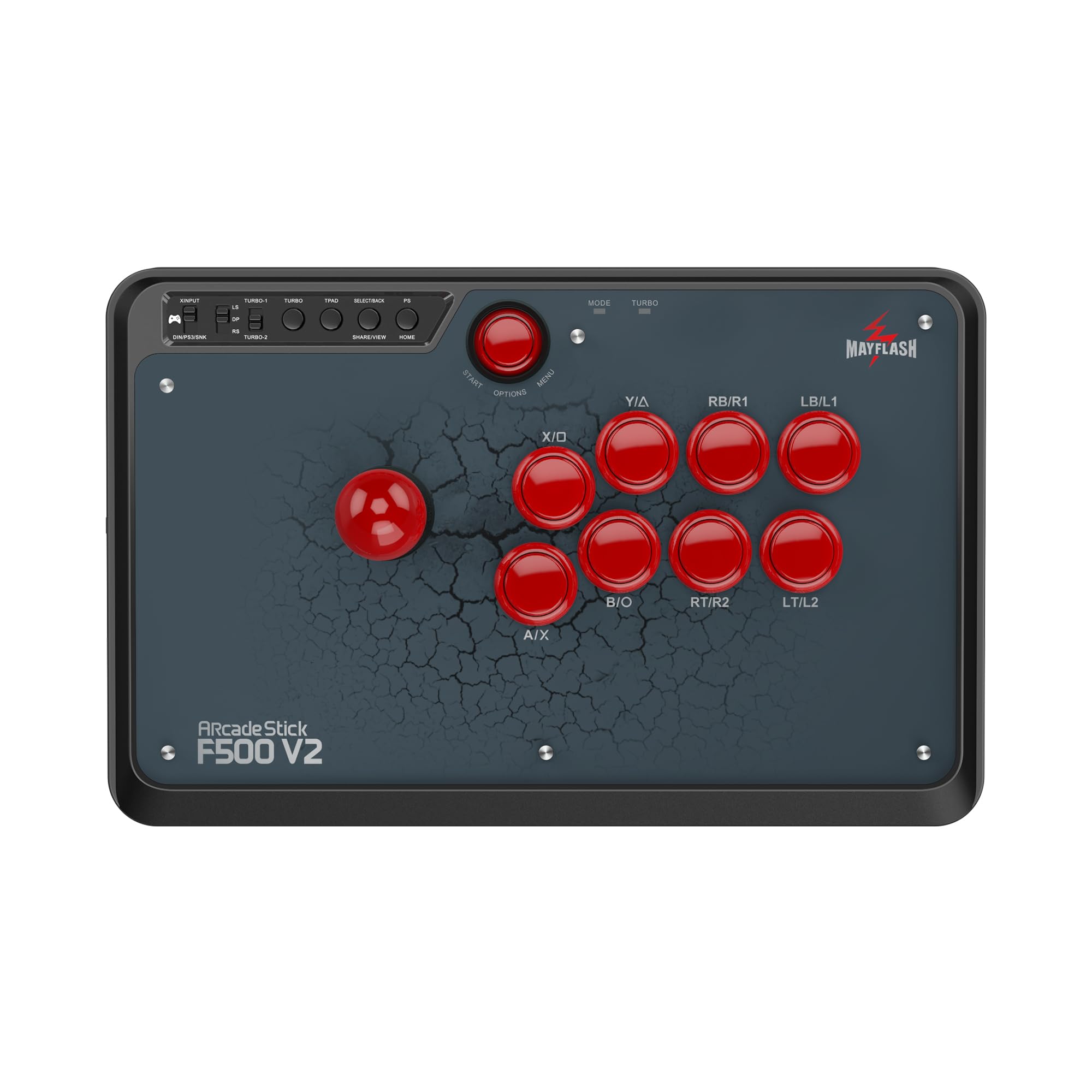
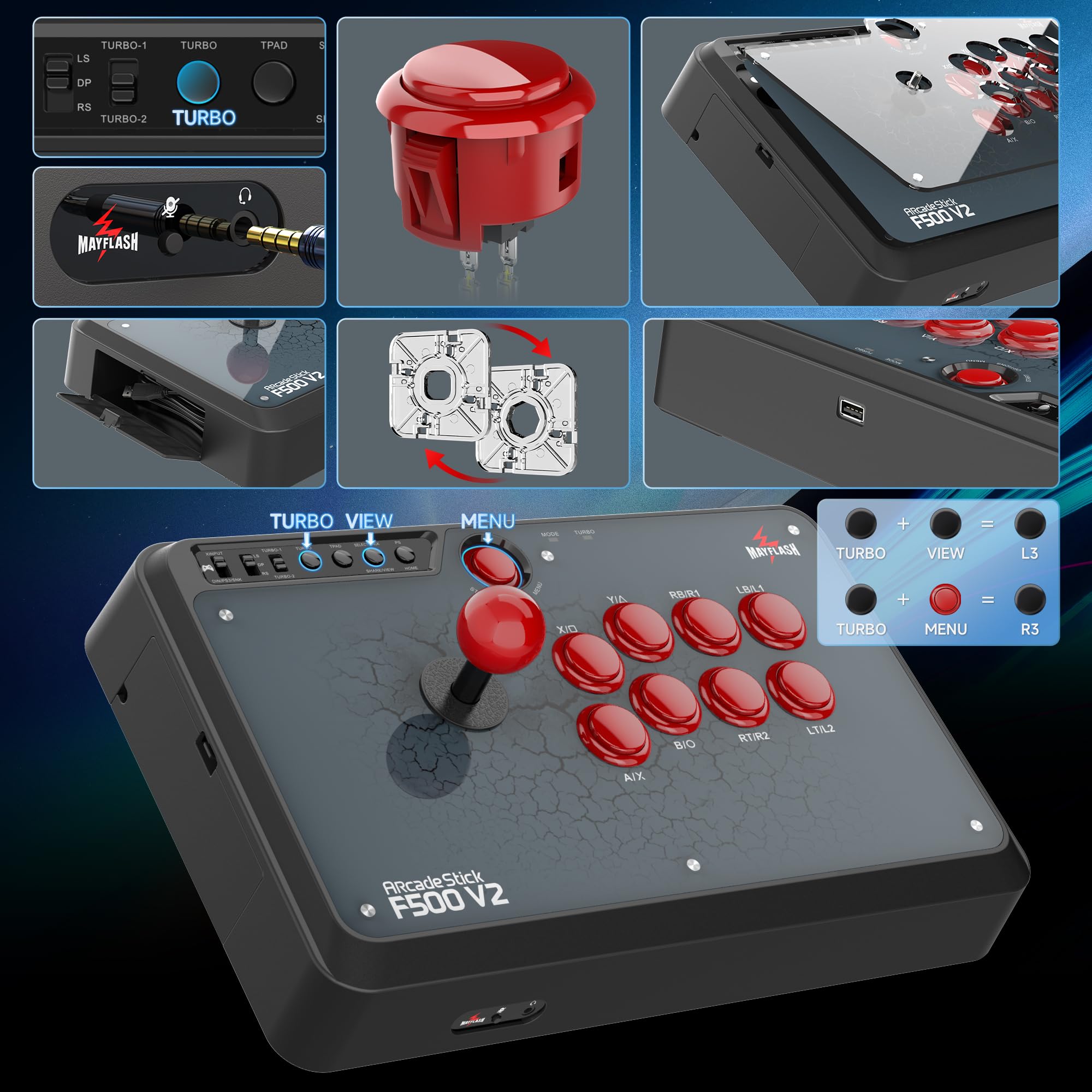
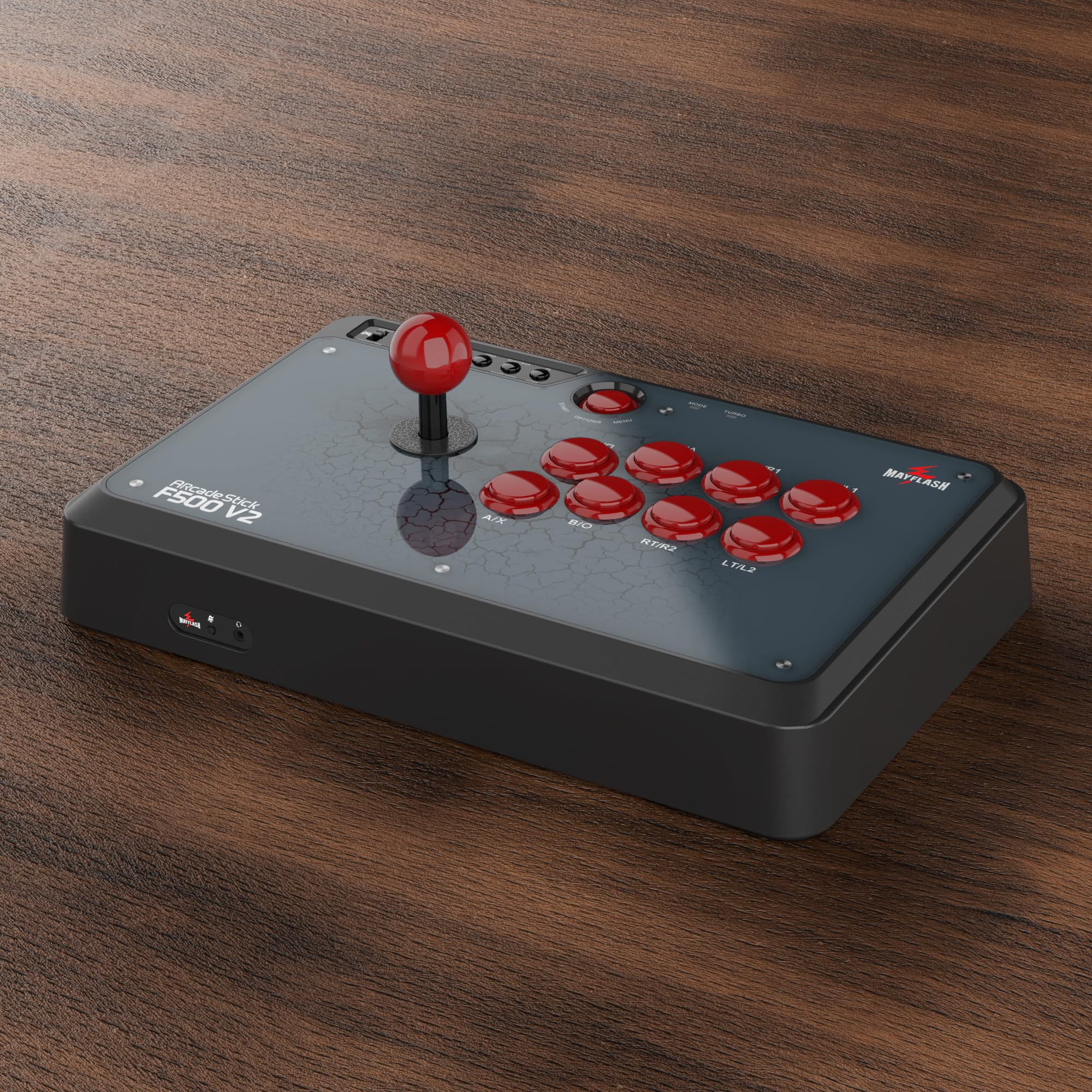
🎯 Level up your fight game with the ultimate universal arcade stick!
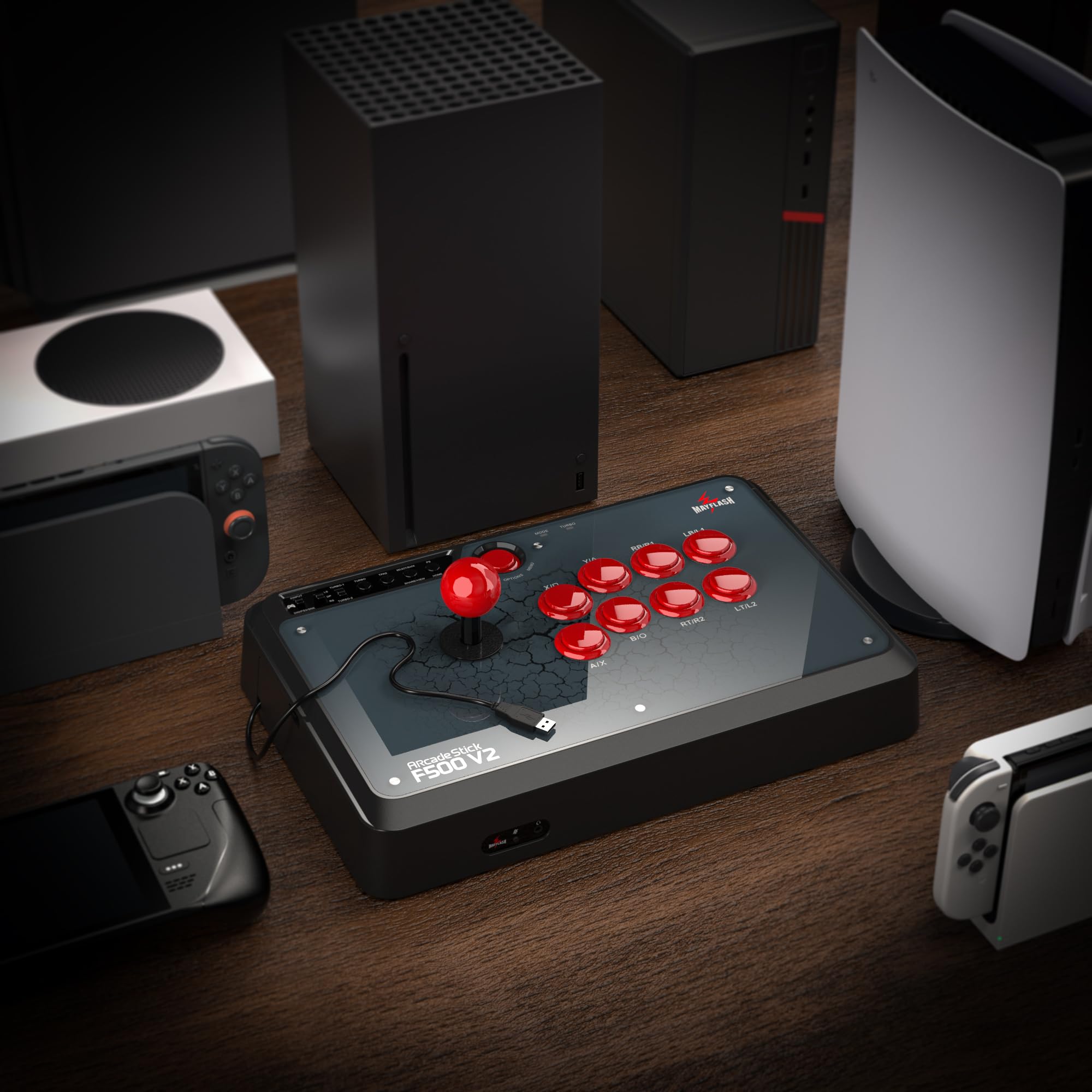
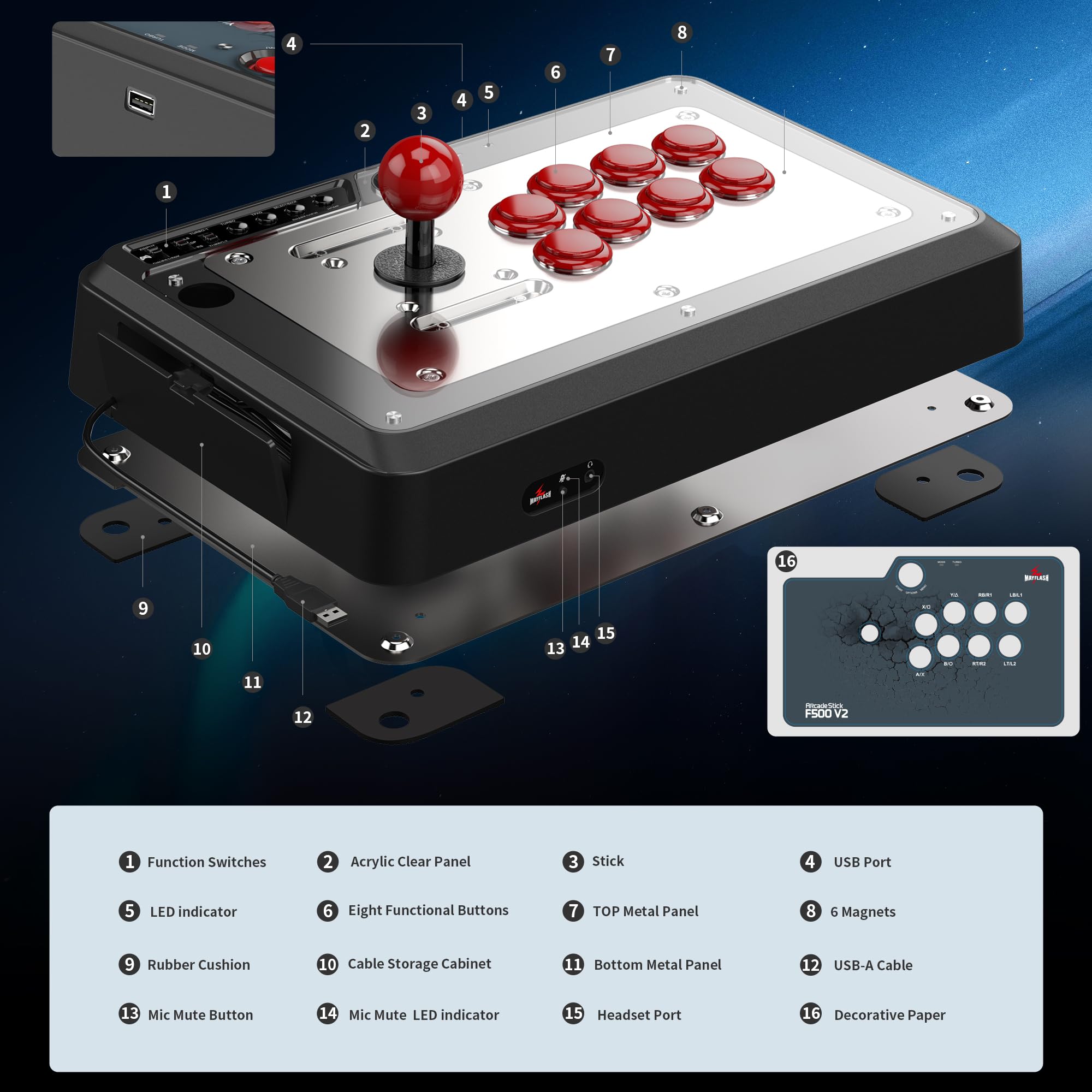
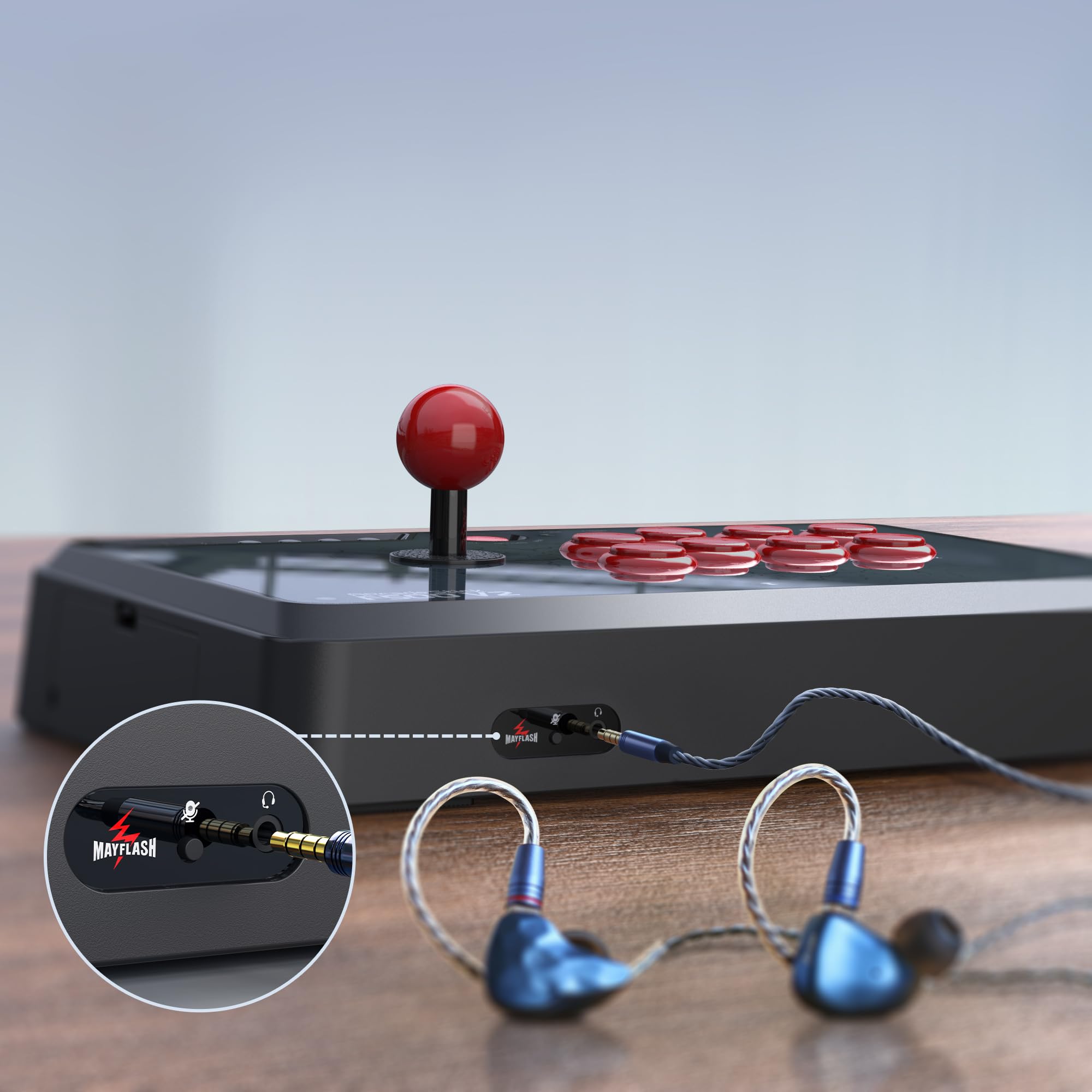
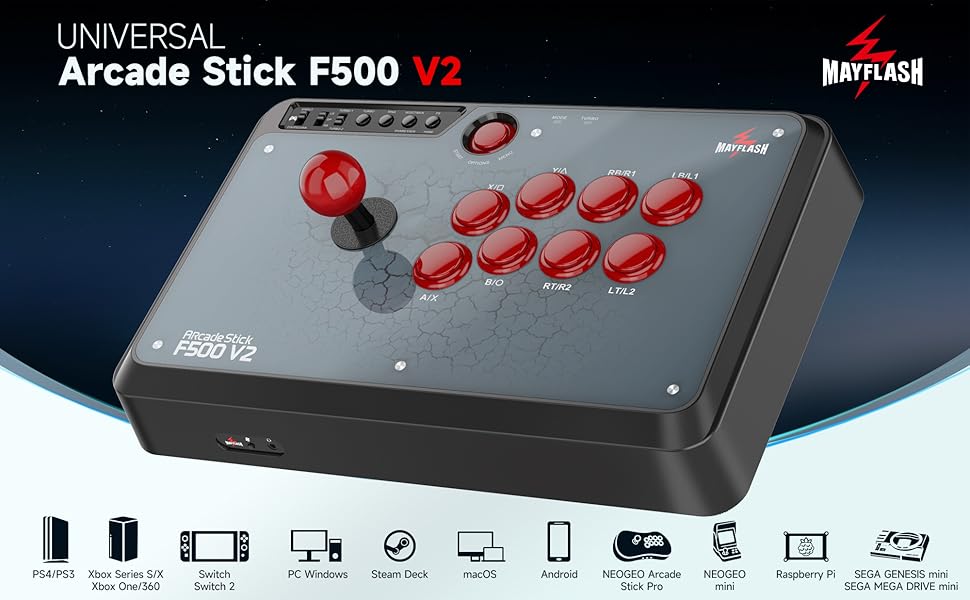
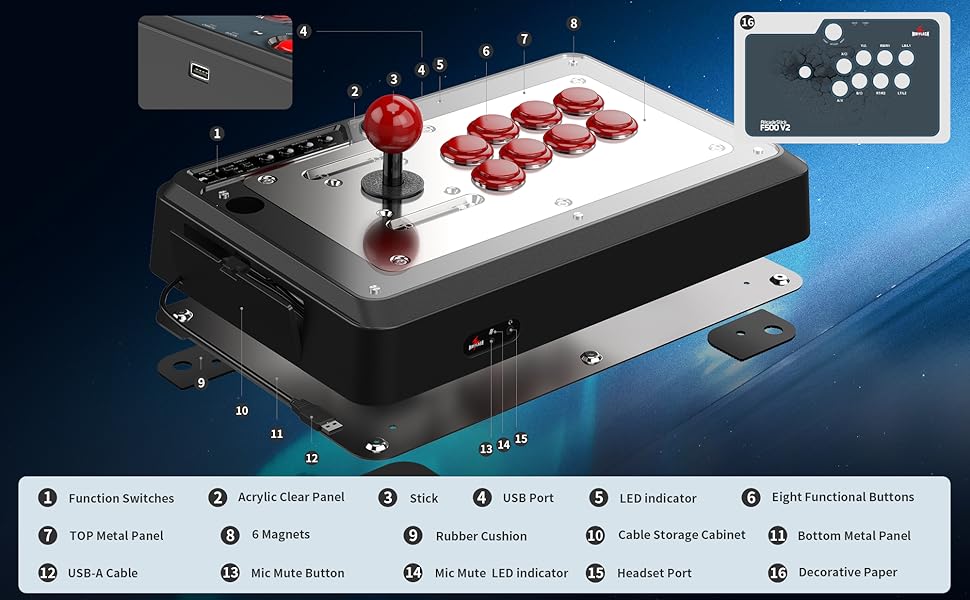
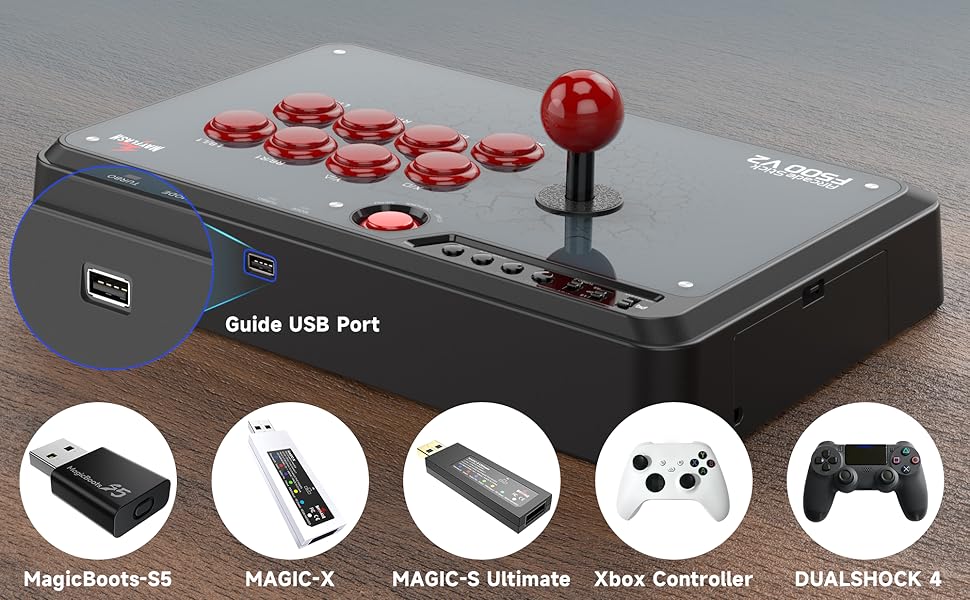
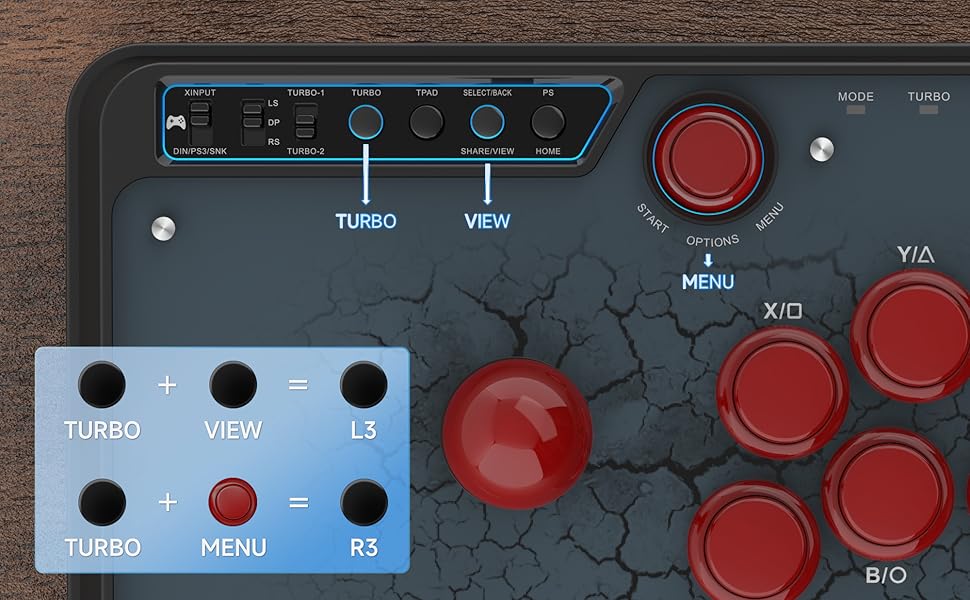
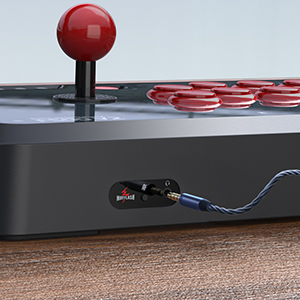
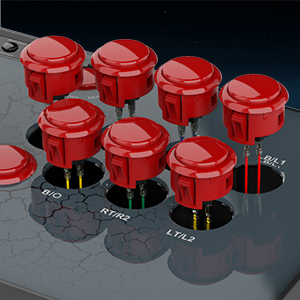
The MAYFLASH Universal Arcade Fighting Stick F500 is a robust, multi-platform controller designed for serious fighting game enthusiasts. Compatible with a vast range of consoles and devices including Switch, Xbox, PlayStation, PC, and more, it features a built-in headphone jack, turbo function with adjustable speeds, and full support for Sanwa parts customization. Its durable build and mod-friendly design make it a top choice for gamers seeking both versatility and performance without breaking the bank.
| ASIN | B00QM7JUMY |
| Best Sellers Rank | #5,322 in Video Games ( See Top 100 in Video Games ) #239 in Xbox Series X & S Accessories #283 in PlayStation 4 Accessories #312 in Xbox One Accessories |
| Customer Reviews | 4.6 4.6 out of 5 stars (3,463) |
| Date First Available | September 20, 2016 |
| Is Discontinued By Manufacturer | No |
| Item Weight | 6.53 pounds |
| Item model number | F500 |
| Language | English |
| Manufacturer | MAYFLASH |
| Product Dimensions | 14.17 x 2.4 x 9.17 inches; 6.55 Pounds |
| Rated | Everyone |
| Release date | September 1, 2017 |
| Type of item | Toy |
S**T
BETTER THAN I THOUGHT
I had bought a Razer Atrox for Xbox one the first one the lid was cracked when I opened the box got a second one after 2 days of use the lid on it cracked took it back and got the last one GameStop had opened the box and the lid on that one was also cracked. So I bought this MAYFLASH F500 not sure what I would get as this was $120.00 cheaper than the Razer. I was surprised that this one seem to be made better than the Razer. Had good weight to it and work with all my fighting games. The one thing it has that the Razer dose not have is a Head Phone jack and that I like has I like to play my games with my headset so I don't trouble my wife. The joystick feels good and the buttons are smooth and responsive. Also having a PS4 I don't have to buy two sticks. I would say this is a great stick for the money. If I feel like I need to I can always get the Sanwa joystick and buttons and put them in which is nice. It just go to show that it dose not always have to be a big name $200.00 arcade stick to work good. P.S. update. Just got the Magicboots for Xbox one and it works great no more having to plug in the controller and the headphones still work. I'm now going to order the Magicboots for the PS4. Best arcade stick for the money. Thanks MAYFLASH. This comes from a 65yr old video gamer. This comes as a second update as I just installed the Sanwa arcade stick and Sanwa buttons and they work great this update makes this stick better than the $200.00 Razer Atrox that I tried. With the magicboots for the Xbox one & PS4 you can't get a better stick for the money. This is a must buy if you are into DIY updates. I will say that Mayflash is going to be coming out with a F500 elite with Sanwa parts already installed next year and that comes from Mayflash support. Any way Happy Holidays and keep gaming. Update: Bought this in November 2018 first picture is stock stick next two pictures are after the Sanwa update mod. This arcade stick has worked with out any problems have been using the Xbox one magicboots. After buying all the Sanwa parts the joystick, 8- 30mm buttons, 1- 24mm button, the ribbon cable for the joystick, a 2lb spring, over sized actuator, and 8 button Sanwa silencer washers, the gray ball top. I have $185.00 in the Arcade stick which is still less than the Razor Atrox that I bought that was broken right out the box. I use this stick every day for at least 2 to 3 hrs. This has been my best investment for playing my fighting games. It's been 1yr and this arcade stick has held up way better than I thought it would and I use it everyday. So the only thing I can say is buy it mod it use it. It will work great.....
G**A
I NEED ANOTHER ONE
My wife got this for me as an early birthday present. I am not in the least bit disappointed. I own all 4 consoles that this works on but rather than plug it in to the Xbox one or ps4 n try it with tekken 7 or injustice 2, I took it for a spin on my PS3 n played all my childhood favorites. I started with pacman and Galaga which were on the Namco museum vol 1. Then moved up to mortal kombat arcade trilogy then king of fighters and marvel vs capcom 2. My daughter came in the room and wanted to try her hand at metal slug so we played that for an hour or so. Last but not least on the ps3 we had the 2 of my favorite games as a kid, the simpsons arcade and xmen. For the ps3 this stick works awesome. I tried it with the stock gate it came with which is the square. I don't know much about fight sticks or mayflash or sanwa (which I read is compatible with this model) but I do know the plate didn't feel like the arcades I played in as a child. The box did contain an octagonal plate which I swapped out almost 10 minutes into trying it. I wanted to see if it would change my ability to play. Sure enough, I didn't miss any hadukens or any specials in marvel vs capcom 2. Plays super smooth and has no noticeable lag. I don't own any other fight sticks to compare it to but I will probably buy a mayflash f300 in the future to compare it to and so that when someone comes over to the mancave we can relive those classic arcade games once more. I can't wait to try killer instinct and tekken 7. Only thing I didn't like was the position of the port that you need to connect your controller to. I will more than likely end up getting magicboots but wanted to try the peripheral itself before spending more than I needed to in case the product wasn't up to par with expectations. Luckily my lovely wife gave me the best gift I've had in gaming in a long time. So now that I've tried this, I'm definitely buying the magicboots so I no longer have to drag a controller along with the fight stick. Ps3 is plug n play no controller needed. Not sure about the 360 or Xbox one. Ps4 has to be connected. The stick itself has a nice weight to it, it's easy to open and mess around with customization. Overall it plays great. I would highly recommend if you're looking for a good product at a great price. I wouldn't pay $200 for a "pro" fight stick. This is good enough at half the price. I don't know much about pro peripherals but this has definitely made me a better player.
K**G
For my first stick, it's perfect
I did a lot of research for my first fighting stick. The first thing to consider is your budget. If you've never used a stick before, you can't 100% guarantee you will prefer that over a controller. So it's wise not to go all in on a $200+ stick, unless you have $200 to gamble. However, you don't want to go too cheap either since you do get what you pay for, and you want your first experience with a stick to be as good as possible. Some important things to note in my buying process: Size and weight, mod capability, wire locations, multi platform compatible. For a stick, you want plenty of weight, if it's too light, you'll be moving it around in your lap, or on a desk. This one has perfect weight, it's not too light. The size of this stick was the #1 buying factor for me. Most $50 sticks are very small, making things feel awkward. For the extra $20-$30, this stick is bigger, and heavier as well. Some sticks aren't able to be modded with sanwa parts etc, this one is capable of being modded, meaning you can replace the stick, as well as all the buttons individually. With that being said, you could make a stick last virtually forever since the parts you use on it are able to be replaced by brand new parts. And these parts are very cheap in comparison to a whole new stick. Modding it is very easy as well. Takes no more than 15 minutes and less than 0.1% of a brain. Some sticks have wires in awkward places! Think about where this will be sitting and if the wires will be interfering with anything, forcing you to hold it a different way. The wire on this one is on the left side, perfect location for me. This stick is also able to be played on console, as well as PC. Overall I would give this 5 stars, considering my expectations for a mid range stick. The feel of the stick is sturdy, and has a metal plate on the bottom making it feel like it was made with quality parts. The stick feels great, I'd give it a 4/5 since it's slightly too loose and not as sensitive as I would like for my personal preference. The buttons are also a 4/5. I've never experienced sanwa parts, but the buttons and stick feel as expected. Not incredible, or above and beyond, but definitely what I expected, if not a little better. My only complaint is that when I went to install the octagonal gate, the latches holding in the gate got stuck. I am now unable to remove the octagonal gate without fear of potentially breaking something. I'm sure not everyone has this issue, so I will look past it, as my case is probably unique. I should hopefully be able to fix this in the future if needed.
K**E
Awesome Entry Level Stick, terrible instructions.
This thing is heavy and sturdy. It's wide enough to have both hands on at once and be comfortable. My only problem was getting the joystick to work. Long story short, I found out it was the chord I was using to hook up my Xbox controller to Joystick pad. For anyone reading this review that had the same issue or is thinking about buying this stick, you're atleast going to need a USBc to USB 3.0 for this to work on an Xbox series S/X or Xbox One. Other that that it works beautifully on Tekken 8, Street Fighter 6, Fatal Fury COTW, Virtua Fighter 5 Revo. I'm actually thinking about getting a 2nd one.
S**F
Extremely customizeable and affordable!
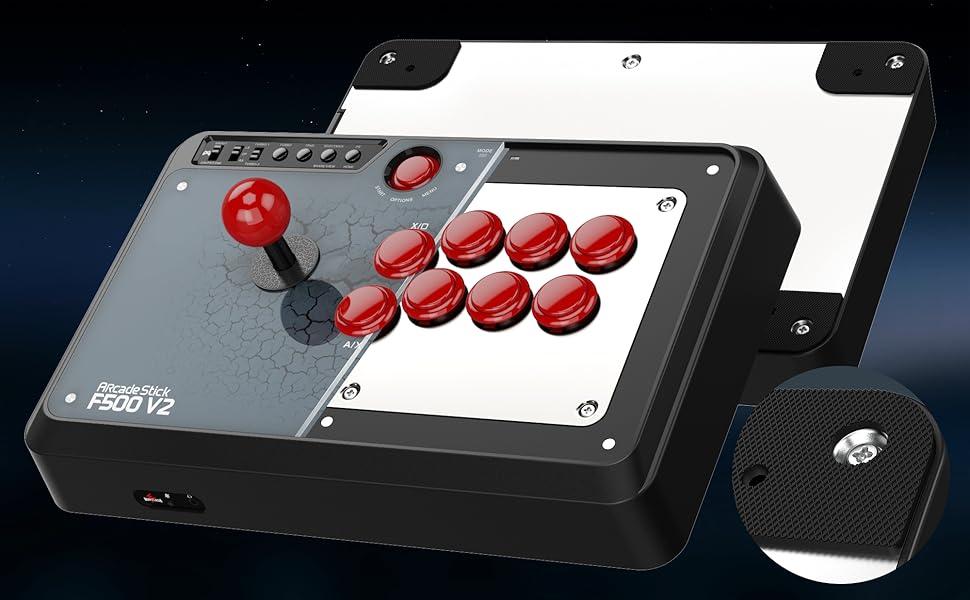
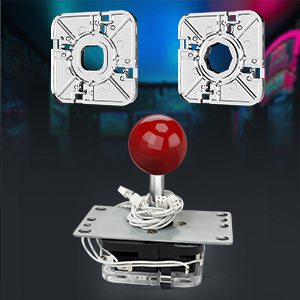
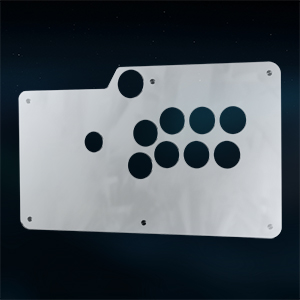
A great controller to mod and use better parts on! I got this for only $10 more than the F300, and considering it is basically a larger version of that, I am happy with my purchase. Any 30mm snap-in buttons should fit in fine, although I had to brute force my Seimitsu PS-14-G's in. I also lacked the 5 pin wiring harness to connect my joystick, but the wires from the stock joystick were easy enough to solder to the points on my LS-56-01's PCB. The stock joystick also apparently will fit with a Sanwa TP-MA, as well as its square or octagonal gate, and the buttons will work with SW-68 microswitches. I haven't actually tested this as I'm happy with the parts I completely replaced them with, but there is an option to do some more in depth modding if you want to. This controller is so incredibly easy to take apart that you can actually unscrew the front panel, and the magnetized acrylic panel pops off, allowing you to insert custom art, or even machine a new panel with a different layout or whatever you want. I found that the mounting panel for my joystick wasn't quite the right size, using the SE P=40 for a better fit, so I would recommend taking a look at the holes before ordering. There is one caveat in that you must use another controller in order to use this on Xbox 360, Xbox One, or PS4. A USB right angle female to female extension adapter can solve the issue of the plug poking you, or you can buy Mayflash's MagicBoots USB dongles that act as keys for each controller. My purpose in buying a universal controller was so I could use it on both 360 and PS4, and I am happy to say it works great on both. Pretty much any non XInput controller works on PS3, and anything connected through USB can be configured to PC. Search on YouTube "Venom PS3/PS4 Arcade Stick (Mayflash V2) Full Overview and Innards" for an in-depth video on the insides of this controller, though it is going by a different name with some slight PCB changes. I did have some trouble taking the actual joystick out, because the balltop wouldn't unscrew using a flathead, but if you remove the E-Ring holding it together it is very easy to disassemble. Spare E-Rings, also called E-Clips, can be bought at hardware stores like Lowe's for a little over a dollar, if you want to put it back together. If you are on the fence about getting this as a glorified case with a pcb in it, remember to check the placement of your mounting panel's holes, get the $0.75 5 pin female-to-female wiring harness to save yourself some trouble, and make sure you have a couple screwdrivers and some pliers at the ready. Below is a photo of mine, although I haven't gone for an extravagant design or flashy art, I am very happy with it it's performance.
F**O
A great stick and spectacular value
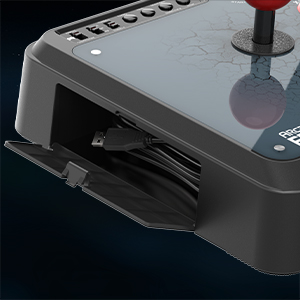
An excellent stick that gives you a very close approximation of the arcade experience at a reasonable price. I'm updating this review after 2 years to give a long-term viewpoint. I own two of these. I've given them a beating. I've used them stock. I've modded them heavily. They have NEVER disappointed me. This is a five star product and then some. Out of the box, the stick is weighty, comfortable, and surprisingly responsive for containing gray market parts. If you've never used an arcade stick before, this one checks all the boxes. Solid, comfy lever; satisfying buttons, and compatibility with PC/PS4/PS3/XB1/360/Switch. If you're an arcade stick pro, the stock stick and buttons feel similar to Hori's Hayabusa but with more tension. If you don't want to connect a PS4 or XB1 controller to the stick to make it work with those systems, you can buy Magicboots adapters that fit in the slot on the front. I've even used a Brook PS4 to PS2 adapter to use it with the PS2! The versatility for the price is unbeatable. I have used the stick with various iterations of Street Fighter 2 Turbo, Street Fighter 3, Street Fighter IV, Street Fighter V, Tekken 7, and Marvel Vs Capcom 3. I don't notice any issues with lag or dropped inputs. If you want to mod these sticks, they're very open to that. For the two I have, I put a Sanwa Silent JLF in one and a Seimitsu LS-40 in the other (the LS-40 is what the Neo Geo used and is super for shoot-em-up games). Both have Sanwa silent buttons. Except for giant Happ style sticks, there's plenty of room inside to fit just about everything. The glass panel is easily removed and there are various web stores that will print replacement artwork. While I prefer genuine arcade parts, I must reiterate that the that the copycats built into the stick are quite good. They're much better than what came with Mayflash's earlier sticks. If I didn't have my own preferences locked in, I'd be happy with the original parts. The box even includes an extra octagonal restrictor gate, which is great for us Street Fighter freaks. In terms of durability, after 2 years the circuit boards work perfectly and all of the original features (rubber feet, cable compartment door, USB cable) are in excellent shape. I can even attest that the original joystick levers are still working, because when I swapped them out I put them into a Pandora Box console and they've been putting in work there ever since. The company also continues to update the firmware. When I bought these, the Nintendo Switch was barely a rumor. I updated mine to the latest firmware from the Mayflash website (super easy) and now they work with Street Fighter 30th Anniversary, Hyper SF2, Garou, Aero Fighters, and others without a hitch. Personally, I think Mayflash products are great for what they are -- high quality copies of more expensive items. You can pay $200 for a stick with Sanwa or Hori parts that works with one system and gives you the 100% experience, or you can pay whatever sub-$100 price the Mayflash sells for and use it with multiple systems to get the 99% experience. Even if you spend another $20-$30 on extra parts, you still come out way ahead. I don't know about you, but I'm OK being one of the 99% in that scenario.
N**1
Amazing Multi Platform Arcade Stick!
First Amazon review I ever write so... First off, I had issues with this stick, but truth be told it was all user error. Once I realized what I was doing wrong, it worked perfectly! 1. The instructions do not mention it but when you download a firmware update, it is a .rar file. You will need to extract it using WinRAR and use the update program. Updating is extremely easy and quick (remember to plug into a 2.0 USB on a PC while holding select and start buttons on the stick). 2. I ran into issues using the stick on Steam. Simple fix: go into Steam controller settings and make sure the Xbox, PS4, etc. are checked (I run the stick in XDirect mode so Xbox checkbox is all I needed). After the above 2 points stick works flawless on Xbox One S and PC using Steam. Haven’t tried it on my PS4 or Switch yet but I shouldn’t have any issues (firmware is the current version). The stick amazing. I have an early 2010s MadCatz SFIV stick that cost me $200 and this stick is very comparable to it. They not feel great to me. For the price, this is a great stick to get. I’d you don’t want to pay $200+ for a stick, this is a great option. Not sure how it does in competitive play, but should be fine I think. Also, this stick is multi platform, so. I worries on what system to get it for (my MadCatz is Xbow360/PC only, use a converter for PS4/Xbox One S play). Customization is awesome too. I just ordered Sanwa buttons/joystick to replace the stock ones, but that’s not to say stock is bad. I’ve been playing fighting games for years so I prefer it. I’ve read other reviews also stating the stock components are great too, so don’t worry too much about that. Stick is sturdy and does not feel cheap at all. One thing to note: if you don’t mind the color scheme, I’d recommend the F500 Elite. It comes with Sanwa buttons/joystick and the price difference isn’t a lot. I spent $80 on the Sanwa buttons/joystick but only because I wanted a specific color scheme. Overall this is a great stick to get. I’m sure the $200 plus sticks are amazing as well, but for casual to some competitive play, I believe this stick is perfect. I bought this for my son but will also get myself one, the multi platform is amazing (converters cost $40 each). For the price, this is a great buy.
B**.
Great entry stick that's easy to modify and maintain
The stick is very solid and well built, having four rubber pads at each corner to prevent slipping if placed on a surface. It's got some weight to it, so it shouldn't slide around in your lap or on a desk/table. The stick and all of the buttons (including the smaller start button but excluding the buttons on the upper left with the sliders) are replaceable with sanwa variants, which is nice as they are able to be used in more expensive sticks as well if you ever upgrade. The default stick and buttons work fine though! There's no rush to change any of them if you aren't interested in changing the appearance right away. The black cover design can also be replaced with new art as the acryllic top is able to come off and have the new art slid under (and there are stores that can print and pre-cut a design you've made as well, such as at FocusAttack). The bottom panel can be taken on and off easily, and the removal of the stick and buttons are also quite easy to do. There's a decent amount of space for your hands, as I have had no problem with spacing between the stick and the buttons or with hands feeling like they're falling off on the outer edges. Personally, I've used it both on PC and PS4 with few to no hitches. If you are looking to see if you enjoy using a stick and would like to be able to change its appearance in the future, I highly recommend this as a great opening stick.
Trustpilot
Hace 1 mes
Hace 3 semanas


