
🖥️ Elevate your workspace, dominate your day with WALI’s ultrawide power mount!
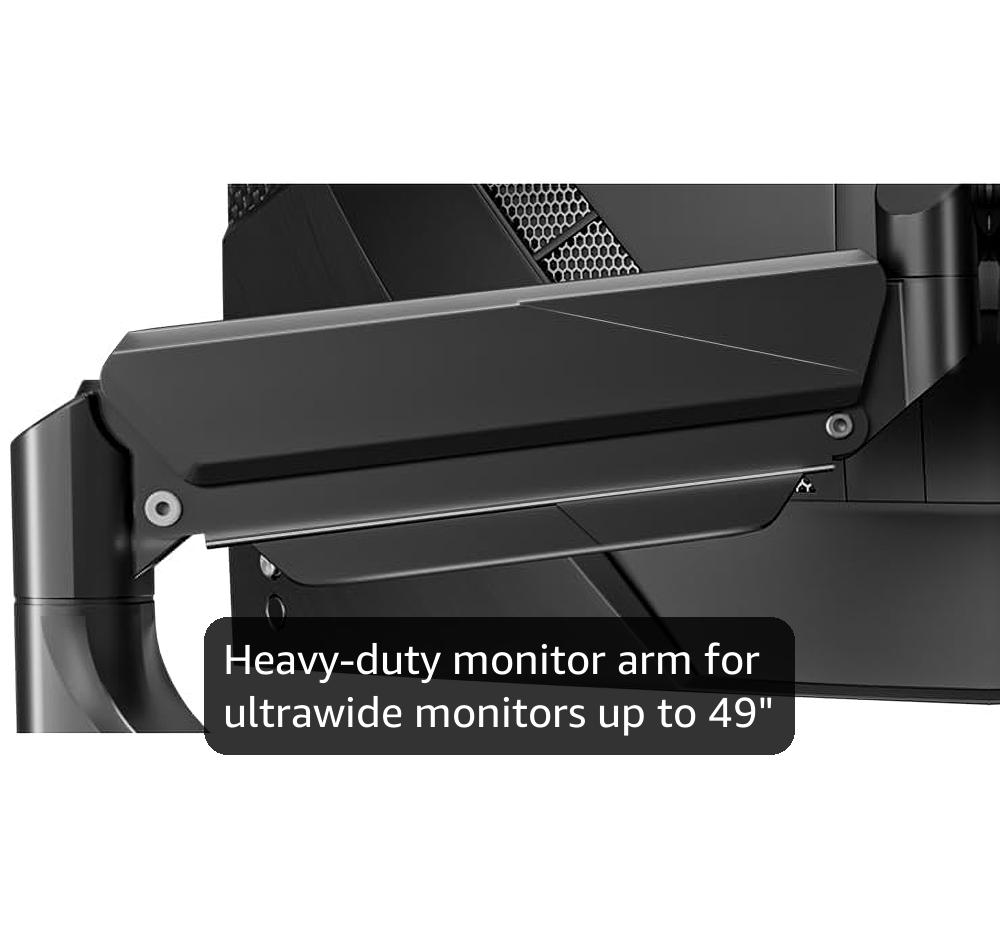
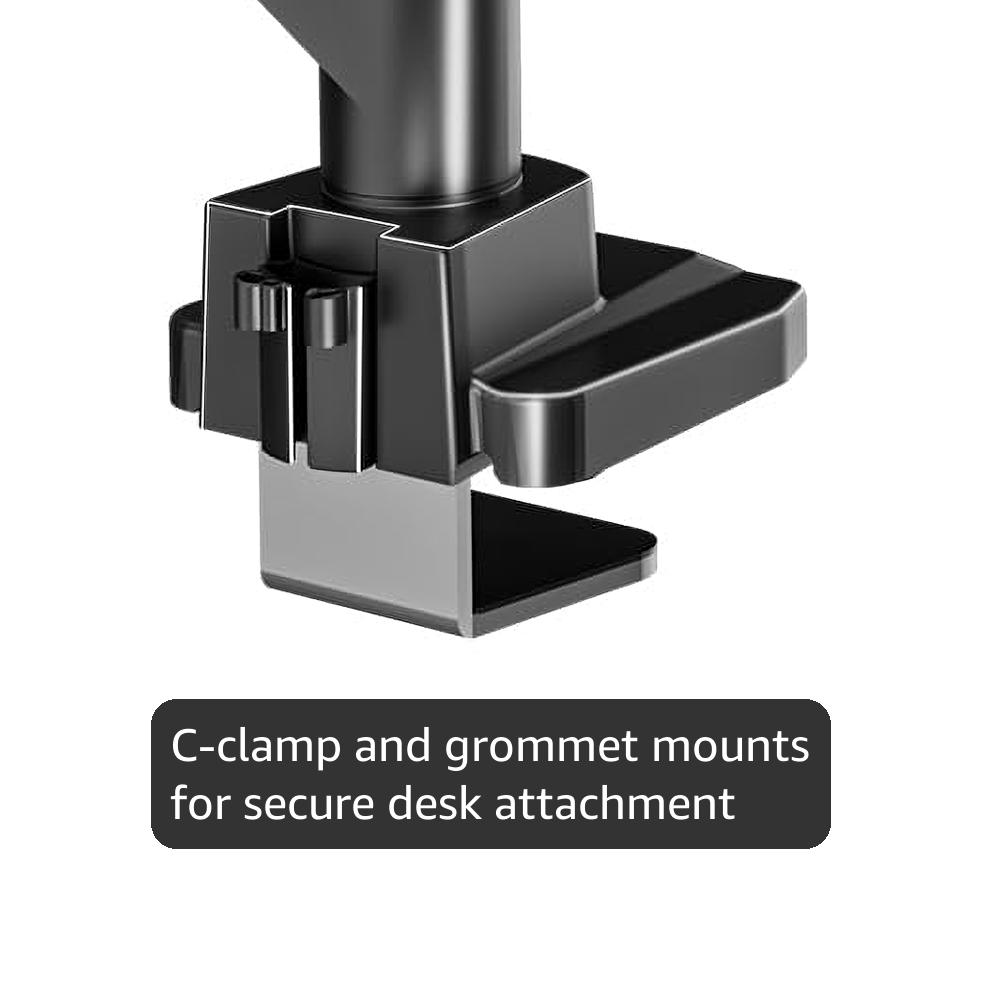
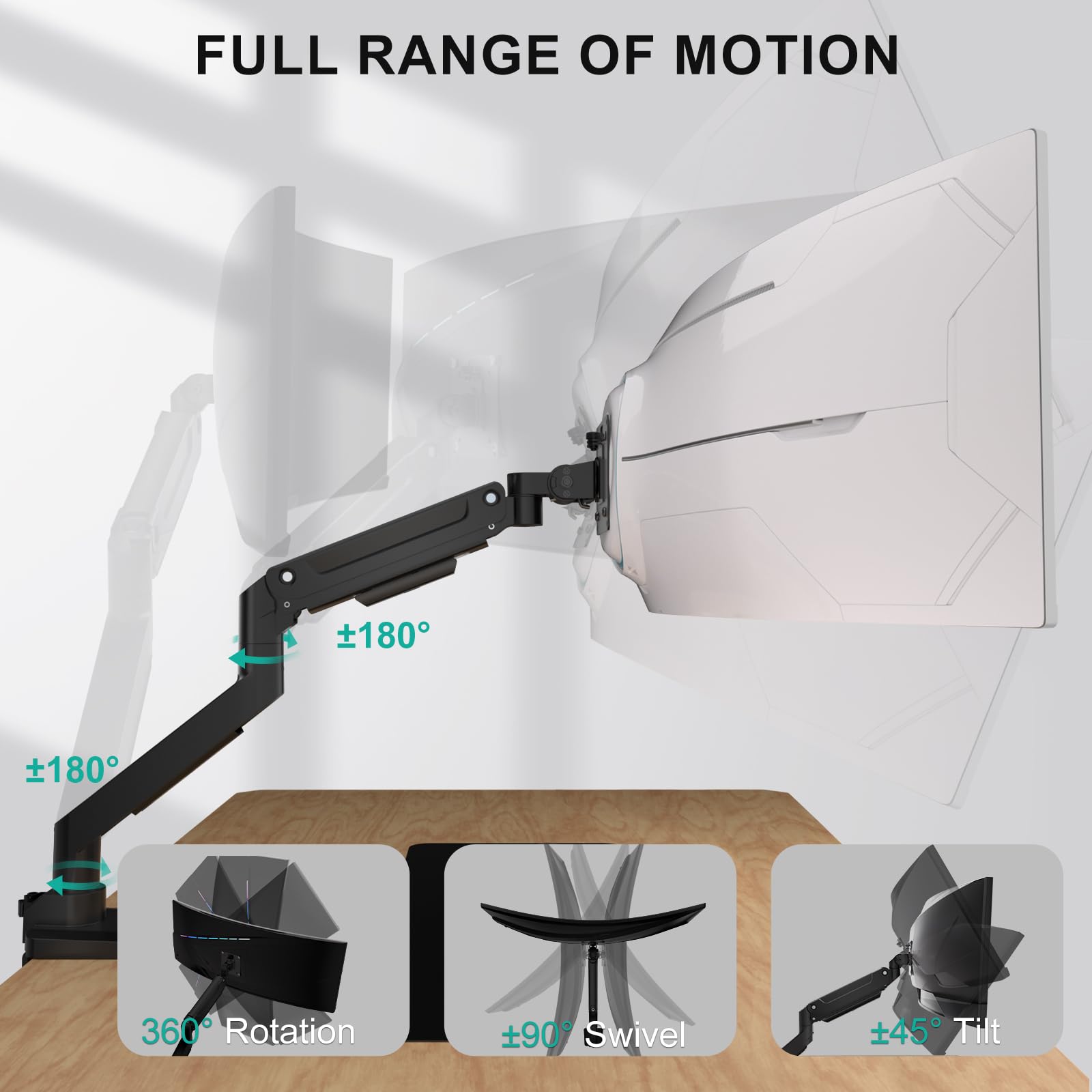
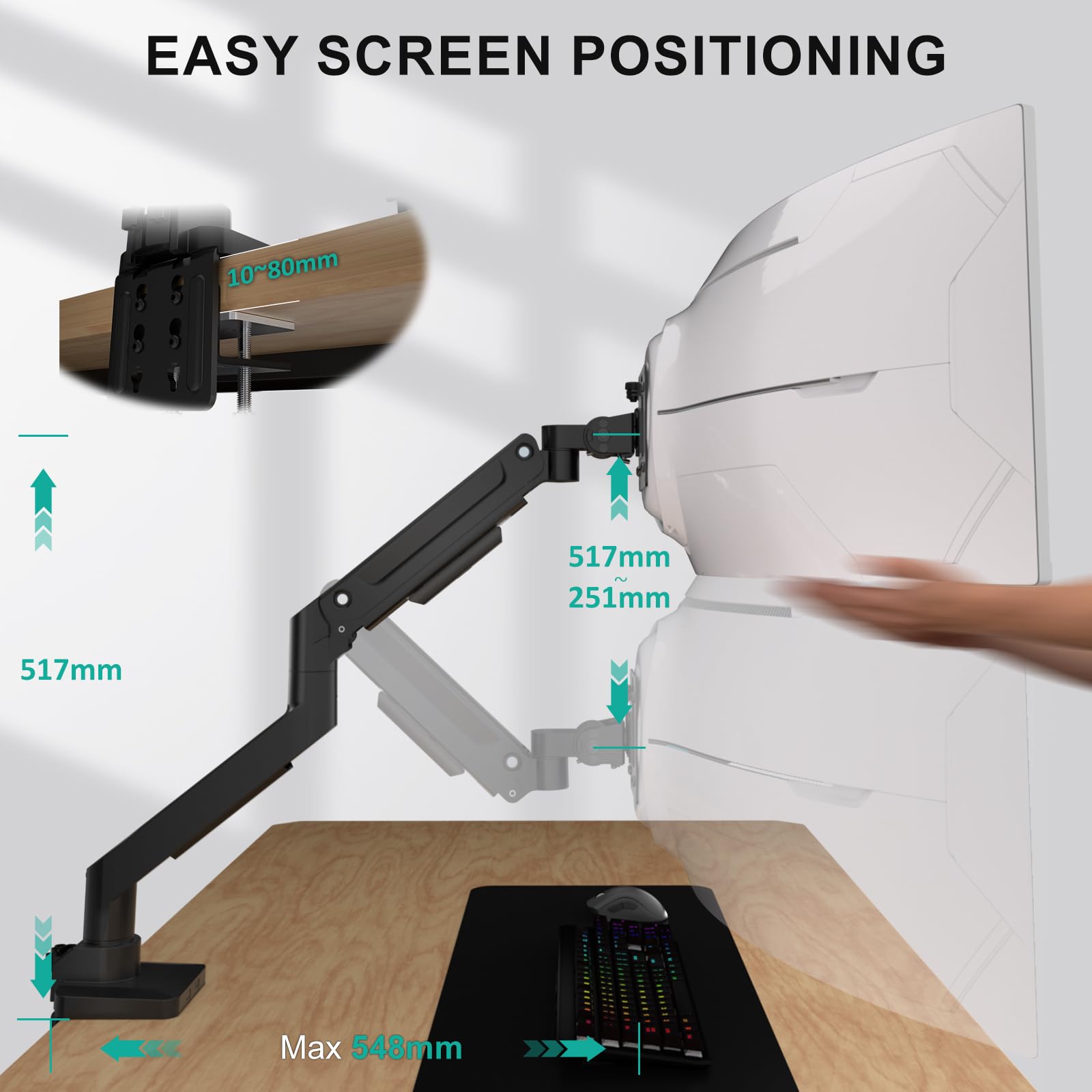
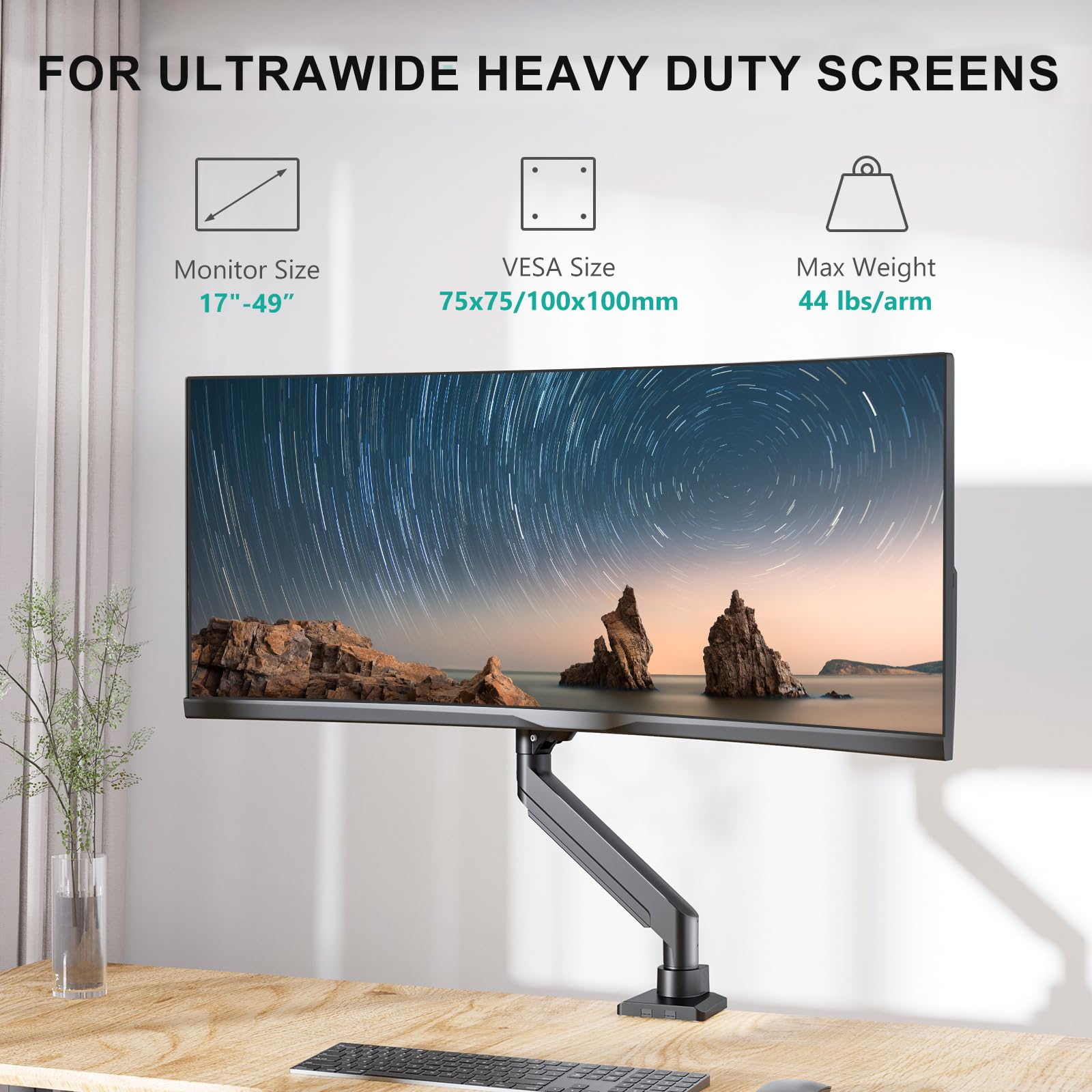
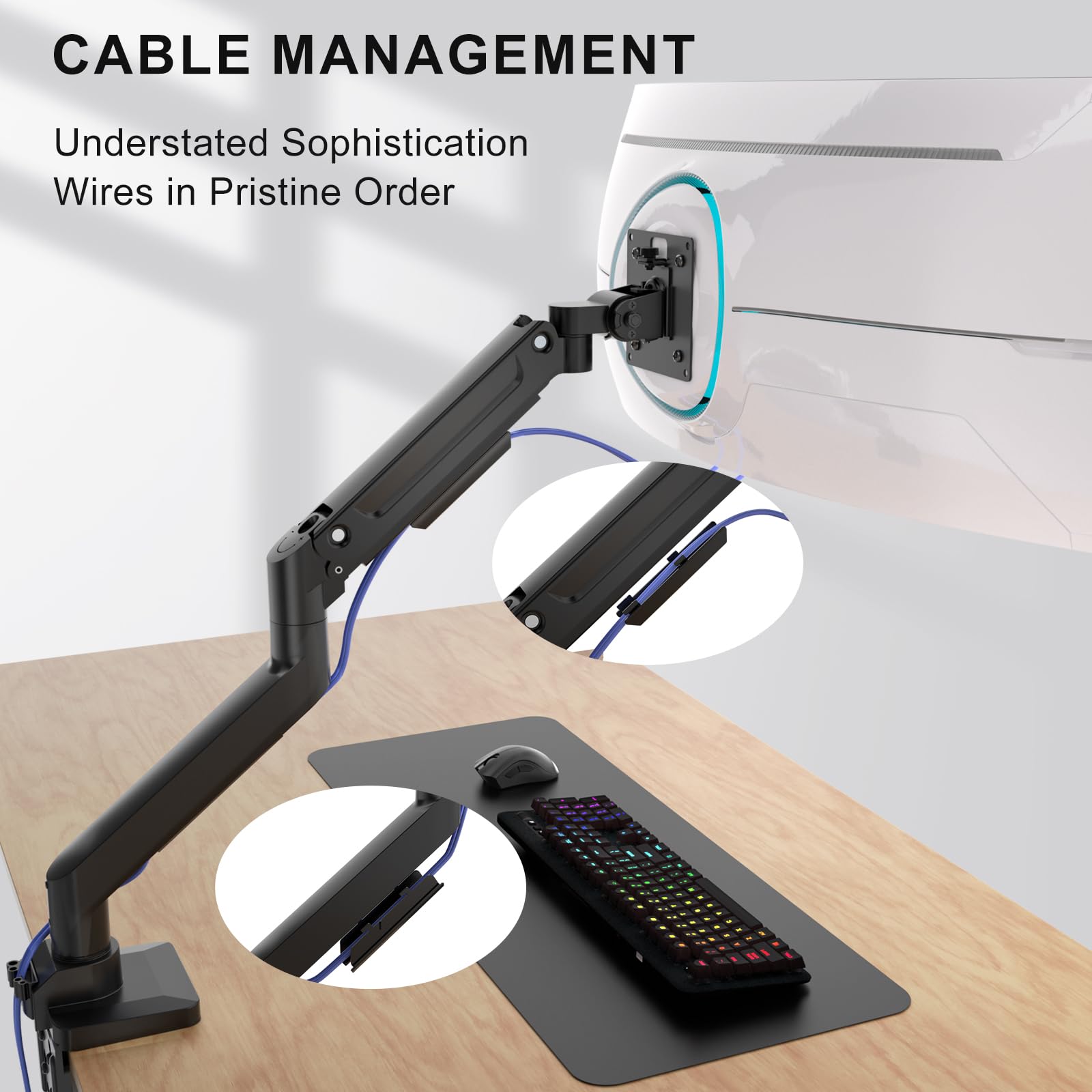
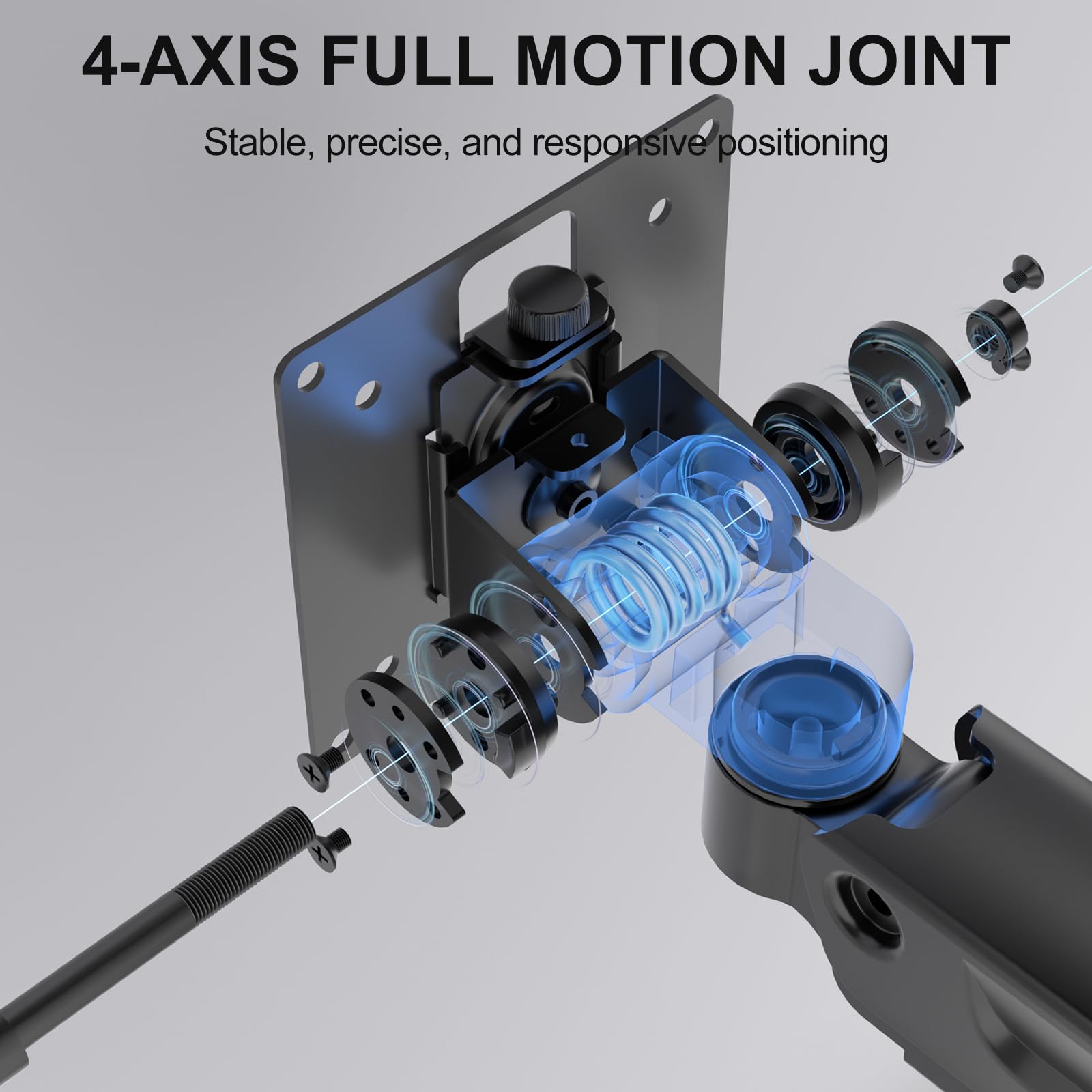
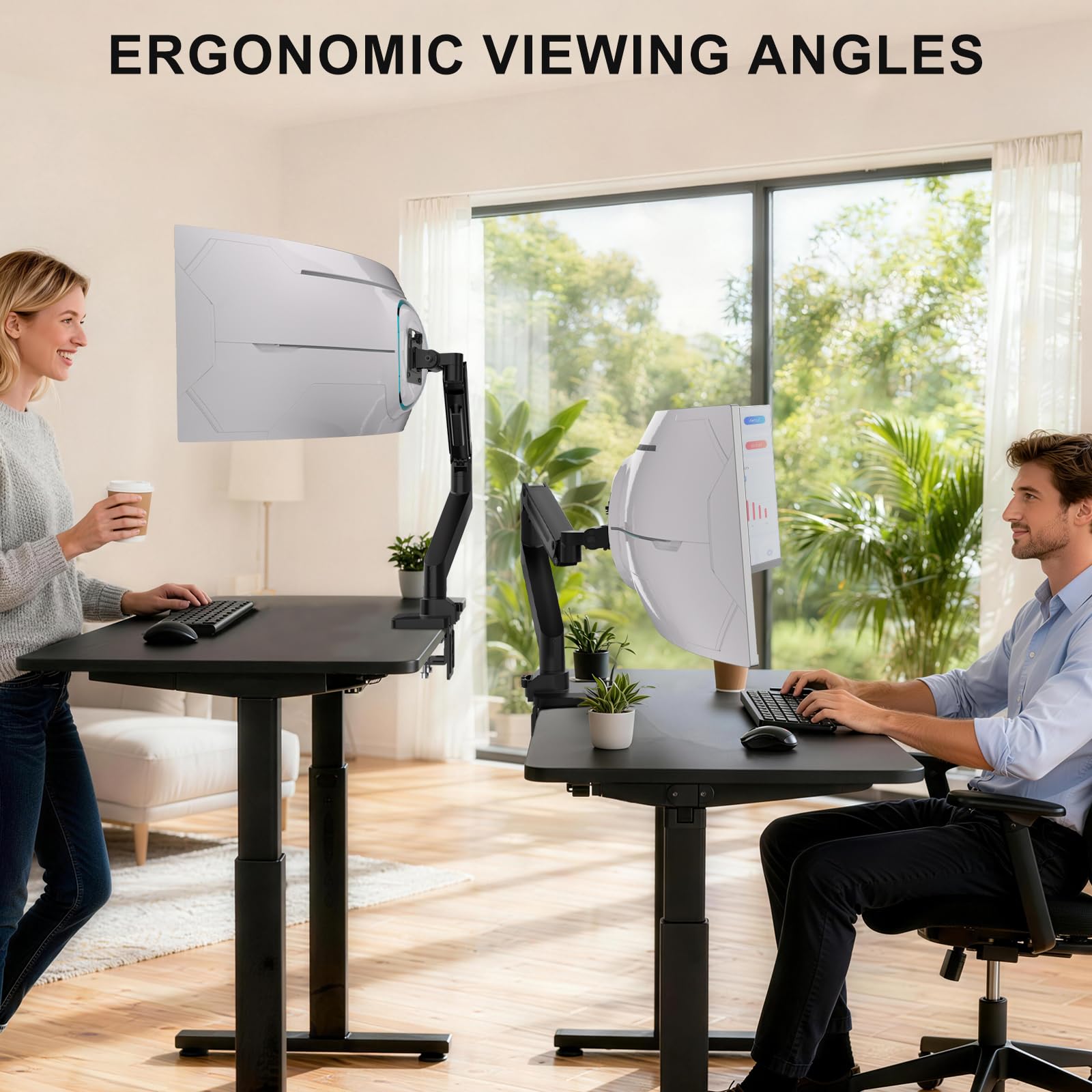
The WALI Ultrawide Monitor Arm is a robust, ergonomic desk mount designed for 17-49 inch curved and flat monitors, supporting up to 44 lbs. Featuring versatile tilt, swivel, and rotation adjustments, it enhances comfort and productivity while saving desk space. Built from high-grade materials and tested for durability, it offers easy installation with C-clamp and grommet options, cable management, and a 10-year warranty—ideal for professionals craving a sleek, stable, and customizable workstation.






| ASIN | B07NLMLLT6 |
| Best Sellers Rank | #3 in Computer Monitor Arms |
| Brand | WALI |
| Color | Black-Ultrawide |
| Compatible Devices | Monitor |
| Customer Reviews | 4.4 out of 5 stars 5,661 Reviews |
| Enclosure Material | Metal |
| Global Trade Identification Number | 00811278022591 |
| Item Height | 17.24 inches |
| Item Type Name | Heavy Duty Single Arm |
| Item Weight | 5 Pounds |
| Manufacturer | WALI |
| Maximum Tilt Angle | 45 Degrees |
| Maximum-Supported Screen Size | 35 Inches |
| Minimum-Supported Screen Size | 13 Inches |
| Mounting Type | Tabletop Mount |
| Movement Type | Tilt,Swivel,Rotation |
| UPC | 811278022591 |
| Warranty Description | 10 Year |
N**V
Definitely worth it for the price, minimal hassle setup and high build quality
High quality and sturdy mount without breaking the bank. I'm using this to mount a 24" AOC monitor and it works exceptionally well. I love how easy it is to adjust the height and it holds it perfectly. It was a bit confusing to figure it out at first but mainly because I was trying to raise/lower it without the monitor mounted yet and it needs the extra weight to actually begin to move up/down after a certain point. Would recommend :)
A**I
A Game-Changer for Clean, Dual-Portrait Setups
I purchased two of these stands to sit on either side of my 48" TV to create a seamless, professional workstation. Before switching to these arms, I was balancing my monitors on top of boxes to match the TV’s height—it was unsightly and ate up my desk space. Using this arm allowed me to reclaim a massive amount of desk area and achieve a much cleaner aesthetic. Quick & Easy Assembly The setup was surprisingly simple. Both of my monitors have flat, flush VESA mounts, so I didn't even need most of the hardware included in the box. Pro Tip: I was able to reuse the screws that originally came with my monitor stands. Your mileage may vary, but for my 27" panels, the installation was incredibly efficient. Sturdy Support for 27" Displays I’m using these arms for two different 27-inch 4K monitors, and I have had zero issues with weight support. Both monitors are well within the arm's 19.8 lb capacity: LG 27US500-W: This monitor weighs approximately 10.6 lbs (without the stand). Dell S2725QC: This monitor weighs approximately 10.7 lbs (without the stand). The gas spring is easy to adjust, and it holds these 4K panels exactly where I want them without any "drift." Perfect for Portrait Orientation I keep both side monitors in portrait orientation so their height matches the vertical profile of my 48" TV. The rotation is smooth, and the arms provide plenty of height adjustment to line everything up perfectly. Final Verdict If you want to move away from bulky stock stands and clear up your desk, this is a fantastic budget-friendly choice that feels high-end. It’s sturdy, easy to set up, and looks great in white.
J**.
Great Monitor Arms for my 2 32 inch monitors.
I ordered two of these monitor arms for my MSI 321URX OLED monitor and my secondary Dell G3223Q monitor. The monitor arms are great and very sturdy. They offer easy height and tilt adjustments and save a ton of desk space once mounted. Installation was straightforward and easy. One of the monitor arms does stick out slightly from the wall, but it’s very minor—about 1–2 inches—and completely manageable. I also like that they include mounts for cable management.
W**S
Solid Budget Monitor Arm With a Few Trade‑Offs
The WALI Single Monitor Mount performs about the same as my VIVO single monitor arm, which was a pleasant surprise given the lower price point. Setup was straightforward, and the gas spring adjustment works well once dialed in. It holds my monitor securely and offers the full range of motion I expected—tilt, swivel, rotation, and height adjustments all function smoothly. That said, the materials and overall build quality do feel a bit cheaper compared to higher‑end arms. It’s not flimsy, but you can tell where costs were saved. If you’re willing to spend roughly 60–70% more, you can definitely get a noticeably sturdier and more refined arm. Still, for a budget option, this one delivers exactly what it promises. Pros - Works just as well as the VIVO arm in terms of functionality - Easy to install with both clamp and grommet options - Gas spring provides good adjustability once set - Excellent value for an entry‑level monitor arm Cons - Materials feel cheaper than premium alternatives - Build quality isn’t as high as more expensive arms Overall As an introductory monitor arm, this is an excellent choice. It does everything the VIVO arm can, just with slightly lower‑end materials. If you’re on a budget or setting up a simple workstation, it’s a great fit. If you want something more robust for long‑term heavy use, spending a bit more will get you a significantly more refined Monitor arm.
S**E
it is pretty good
i bought it for the additional height of the side monitors and it is exactly as i expected. It has significantly cleared desk space for me along with that the mounting brackets it uses makes it relatively easy for you to add or remove monitors without having to take the whole thing apart like my last double monitor mount. The packaging and instructions are very clear and are pretty much self explanatory, and the mount comes with absolutely everything you need including mounting screws, stand offs, and plenty of extras. the mount itself is very lightweight but sturdy, and the arms are ease to move but hold your monitors in place very well. for the price i got it at, it was the absolute best price for a 3 monitor mount with vertical adjusting arms. the over all look of the mount is very good, but that only after i added my own cable management with zip ties surely it wouldn't have been too much more for them to add additional cable management for the side arms this is really the only area of improvement that i can critique. along with that I am really not a general fan of gas arms,, they work fine and seem to hold in place solely due to the weight of your monitors, my main gripe about it, is how long are these things expected to truly hold up, solid metal just does way better even if its heavier, it lasts longer
R**L
Well made and easily supports my 40” LG widescreen computer monitor.
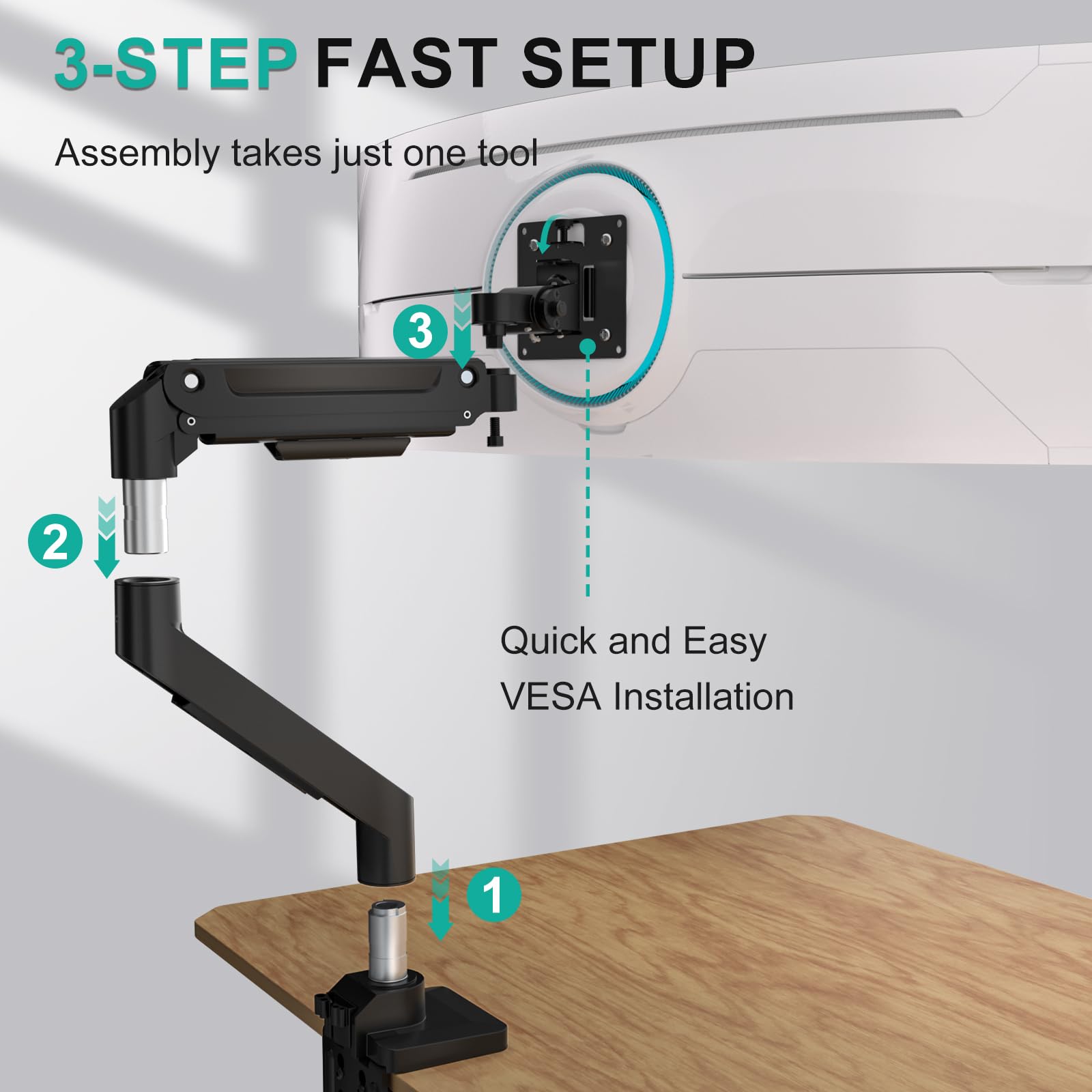
The installation is easy to follow (only 3 primary steps). I used the c-clamp option which clamps to my desk securely. The material is thick and feels very durable and rugged. Overall, I felt reassured that this will properly hold my widescreen monitor with no issues.
G**3
Supports the Samsung G9 Odyssey
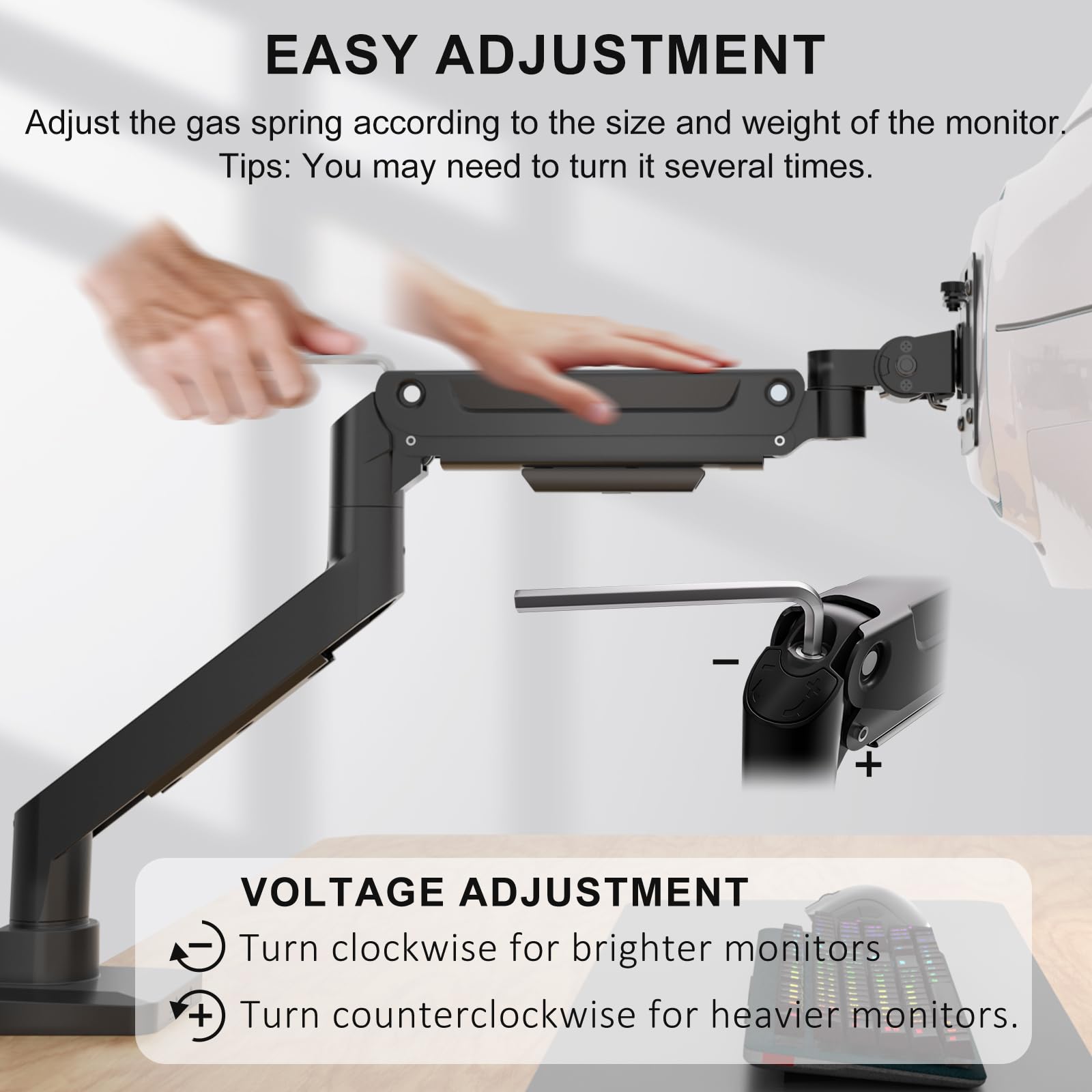
I bought this based on other reviews. The only known mount option for the G9 Odyssey costs $400. I bought this mount as opened box for $70 making it quite the cost difference between the two choices. For other odyssey owners out there this mount will cover your needs, the reviews are accurate. However you will need to follow a couple quick steps. Before mounting the monitor, assemble the arms together on your desk. Be careful not to lose the little metal tabs between the arm shrouds they fall out easily when you take the arms apart later. Next take the provided tool and spend a minute rotating the middle of the arm adjustment screw towards the + symbol. You will question if the bolt will fall out from the amount of turns needed. Doing this is required or the gas piston won't hold up the monitor! Next the problem child of this mount is the vertical up/down tilt at the end of the arm. The included bolt won't hold the odyssey up and its a pain to deal with when the monitor is mounted. So trash it. Now take the heavy piston arm to your garage or hardware store. I found that a 13mm bolt head fit the hole and threads. Add a washer on both sides followed by a castle nut. You will need two 13mm wrenches or socket wrench to tighten the new bolt down, it won't take much pressure. Next reattach the arm onto the mount, without the monitor. Use a level or eyeball it to tighten it down evenly leaving the tilt at 0 degrees. Though it might be best to tilt it back or upwards 10 degrees due to how the arm mounts into the monitor bracket. Lastly mount the back plate to your monitor and attach the piston arm. If you're mildly strong pick up the monitor with the screen facing you then drop it into the mount on the desk. Really it's a two person job! If the monitor is tilted incorrectly you are going to need a friend to hold it or adjust it as you tighten/loosen the new bolt again, a major pain. I had it sitting on the desk and it was a thirty minute fight trying to get the tilt right. Turns out the mount itself on the arm tilts forward about 10 degrees making the monitor tilt down a little. Ughh just bring a friend the tilt adjustment is an all or nothing ordeal. Too Loose the monitor flips down and too tight it won't budge. It was terrible juggling this thing with tools in hand with this heavy thing... And that's all the extra work you need to do! Tighten the piston adjustment bolt towards the + and buy a new bolt for the vertical tilt. Oh pro tip: test without the monitor attached sitting down and see if you like the placement. Originally I had mine mounted center on the desk and well that didnt work at all. Now its off center to the right. Also use the included package foam to check clearences. I balanced the foam on the end of the arm and it worked great as a reference piece. As for mount itself, the mounting plate included does fit the odssey's metal cup plate, use the included black screws with a screw driver. Just be sure to tighten "everything" down. Don't skimp on this or locktight if you have it. Overall everything is thick aluminum or cast aluminum so its solid metal. The pressure plates are thick steel and well painted. Everything fit together without any extra work. The desk pressure plate is only held on top of rear vertical bolts by gravity. Its very jank but works the part when tightened. The plastic cable covers were a pain but doable. The biggest gripe I have is the janky L bracket. There are four thick screws holding it together and its not flush or a perfect 90 degrees in the back. So if your desk is against a wall like mine, it won't be the most ideal... I didnt add the plastic cover to save on an extra half inch clearence against the wall. I really dislike the screws on the L bracket. I had two of them strip out with mild pressure. In the future I'm going to redrill the holes and add proper bolts to secure it. The extra added effort was worth saving $300 over the other expensive option. I'll update this review if anything changes. For better or worse.
D**L
Great horizontal arm, great for gaming.
Great arm, not too big or heavy. It is fairly sturdy but it tends to droop, and I have issues getting it to keep the monitor in an upward rotated position, but I may need to tweak the tightening further. Functionally exactly what I wanted but is not as versatile as it could be with minimal rotation options for vertical monitors that I can see.
Trustpilot
1 month ago
1 month ago


