
🚀 Turbocharge your data on the go — speed, space, and style in one sleek drive!
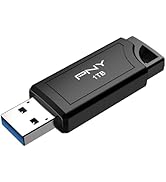
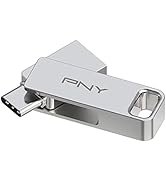
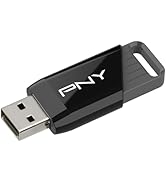
The PNY 32GB Turbo Attache 3 USB 3.0 Flash Drive pack of 5 offers ultra-fast data transfer speeds up to 10 times that of USB 2.0, with a durable, lightweight, and cap-less sliding collar design. Compatible with both PC and Mac, it provides reliable, portable storage ideal for large files and professional use, making it a trusted choice for efficient mobile data management.

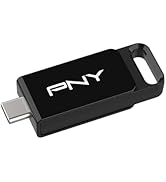


| ASIN | B08HW32VG6 |
| Best Sellers Rank | #106 in USB Flash Drives |
| Color | Silver |
| Connectivity Technology | USB |
| Customer Reviews | 4.7 4.7 out of 5 stars (2,856) |
| Date First Available | September 11, 2020 |
| Flash Memory Type | USB Flash Drive |
| Global Trade Identification Number | 00751492639451 |
| Hard Drive | 32 GB |
| Hardware Connectivity Technology | USB Type A |
| Hardware Platform | Mac, PC |
| Item Weight | 3.84 ounces |
| Item model number | P-FD32GX5TBOP-MP |
| Manufacturer | PNY |
| Model Name | Turbo Attache 3 |
| Package Dimensions | 5.87 x 5.04 x 1.3 inches |
| Read Speed | 100 Megabits Per Second |
| UPC | 751492639451 |
F**.
Good for some "full" Linux installations, particularly Bodhi
10/11/22 (see Notes) Based on my experience with the first couple of these PNY Turbo 32GB USB3 flash drives which I ever tried, and on an article entitled "6 Best USB Flash Drives to Use for Portable Linux in 2022," the Turbo is one of the best inexpensive flash drives to use for encrypted or unencrypted "full" installations of some types of Linux, and Bodhi in particular. In fact, out of several types of inexpensive drives which I tried to use for this purpose, it's one of the few that perform satisfactorily, or function at all. Sandisk Ultra-FITs are my favorites, performance-wise, although their plastic connector-shroud leaves something to be desired (more details below). Micro Center drives work, but they're ridiculously slow in all aspects, and the Lexar I tried had a glacial installation-speed and didn't even boot. I tried a Verbatim Metal Executive and a 16 GB Sandisk Ultra Flair, both of which died after a couple of uses, although you might have better luck. I tried a 32 GB Kingston USB3 Datatraveler, which as I recall was extremely slow or also died after a few uses. In any case, I tossed them and won't be gambling on them any more. I have one 16 GB Kingston USB3 Datatraveler which is great (it actually runs cool), although the installation-speed is slower than the Turbos, and the 16 GB size is no longer available. I tried a couple of Sandisk Ultra-Luxes, and they worked well but ran hot. Samsungs are apparently good, but they're expensive. After all of these disappointments, I was very reluctant to try the Turbos, but my curiosity got the best of me. After trying the Turbos, I also tried an Aiibe 16GB USB3 drive, and found it to be even slower than the Micro Center drives. I aborted the installation process after 2 hours, because the installation would have probably run very slow, if at all. I tried another, but aborted the installation after a few minutes because it was acting the same as the first. Some distros, including Ubuntu 22.04, boot and respond too slowly on Turbos to be used often, but would be OK to use if you just want to boot them up once in a while to check out some aspect. Others, such as Xubuntu 22.04, boot, respond, and shut down quickly enough on Turbos to be used often. The performance of Ubuntu and Xubuntu installations on the Turbos improved, up to a point, with repeated cycles of booting, app-launching/closing, and shut-down, although over the longer term, the performance didn't remain consistent - it's as if the installations sometimes become disoriented in the process of booting, or launching an app. The installation process took about an hour for Ubuntu 22.04 (3.5 GB), and about 50 minutes for Xubuntu 22.04 (2.5 GB). But Bodhi Linux 5.1 AppPak installed in about 50 minutes, which isn't bad by flash-drive installation standards, especially considering that it's a 3.4 GB ISO due to all the apps, and it consistently ran very well from the first boot. I don't use Bodhi, but now that I realize how well it runs as encrypted flash-drive installations (at least on PNY Turbos, probably on Sandisk Ultra-FITs, and perhaps on various small metal drives made by Sandisk and others, if you can obtain functional units), I might adopt it if not for the MX-Linux Snapshot tool, which makes it easy to turn any MX-Linux "full" installation, with all software added by the user and all of its settings made by the user, into an ISO which can then be used for making other installations. For most purposes, I currently use a nonpersistent live USB2 flash-drive installation of my latest MX-Linux Snapshot-ISO, running on a $200 Gigabyte quad-core Intel Celeron mini-PC configured as an air-gap PC (no internet connection, wireless module removed, no wireless in any peripherals, and no internal storage - just flash drives). It boots quickly (unlike typical live installations) and is very responsive, perhaps because I used the same mini-PC to create the full installation from which I created the Snapshot-ISOs, making them compatible with the hardware. It doesn't retain any data upon shut-down, so it's secure. (My encrypted Bodhi installation apparently doesn't save any session-data either, but that's based on a cursory examination.) Since it's Linux, there's no need to worry about malware, although before trusting any ISO (whether downloaded or made from a DVD using a "burner" app), I compare its checksum to the reference checksum provided by the download-site, and before installing any software-module/package without using the software manager, I check its checksum. For internet-access, I use a separate mini-PC running a full installation of my custom MX-Linux ISO. For heavy lifting (by my standards), I use a desktop PC (made from parts from Amazon, which was easy, allowed me to get just what I needed, and saved me a boatload of money) running Kubuntu 20.04. It has an HDHomerun external tuner, the hdhomerun-config and hdhomerun-config-gui apps from the Ubuntu repository, and my shell-scripts (see toggwu on Blogger) for setting each tuner-section to a particular channel and sub-channel, requesting a name for the recording, and starting the recording process. I use OpenShot 5.2.1 for video processing (Kdenlive is too convoluted for me, and as of shortly before this writing, there were no versions of OpenShot 2.6.1 which would run on 22.04, and a version of 2.6.1 from an Openshot PPA destroyed my Kubuntu 20.04/22.04 dual-boot installation. Fortunately, the desktop PC has an SSD for installations and an HDD for data, so I didn't lose any data and it was easy to replace the installation by just installing 20.04, updating the software index, and installing some software, which I had backed-up on the HDD. The net cost was about an hour of my time and about 40MB of my internet allocation for the update. To switch my keyboard (E-SDS KB-1011 laptop-style wired keyboard) and monitor between these PCs, I use a CKLau-64H2ua KM switch. For better, more consistent performance in general from an inexpensive flash drive (although again, Bodhi consistently runs very well on Turbos), I'd use a 16 GB Sandisk Ultra-FIT. The problem with Ultra-FITs is that they have plastic connector shrouds, which eventually wear out and fall apart, although they're designed to be plugged into a PC and left in place. But if you don't want to leave them plugged into a PC, you could leave them plugged into something like an AGVEE USB-A 3.0 Female to USB-A 3.0 Male Adapter (a.k.a. USB 3.0 Converter Coupler Extension Extender Connector), ASIN B093QHP8YX, effectively giving them a metal connector. Notes 10/9/22 - Added comments on Bodhi Linux and MX-Linux. 10/11/22 - Corrected various omissions and clarified.
A**T
Great Value for Plenty of Storage to GO
Very Very reliable. This is probably my 4th pack of these as I use them for photo organization/storage. Haven't had a single failure, no data loss. Obviously they are small enough to put anywhere but not small enough to easily lose them. The design isn't really worth mentioning as its pretty utilitarian, which is good, IMO. Excellent product. I definitely recommend them.
P**Y
Good value for jump drive
PNY is my best choice for storage devices for their value and quality. 32gb is enough to save materials for transferable using and it is cheap enough to minimize cost
A**C
Good price but not a strong performer
These flash drives perform OK. I tested copying a 3GB file both TO and FROM the drives. They tend to ramp up and drop down in speed. I'd say the WRITE speed is about 12MB / sec and READ is about 110MB./Sec. I intend to use for basic data and for bootable USB drives as I do computer consulting work. I recommend but the reliability is unknown. Other post I read are MIXED with reliability. Hopefully they are reliable for a good long time !
S**1
Reliable, compact, works EVERY TIME!
Have used PNY for many many years and I can say without regard their products work as described 100% of the time. Over the years I have had some thumbdrives fail for no reason. It's almost always been the cheaper off brands too. I've yet to have a PNY ever fail even after some considerable abuse. The difference in transfer speed is faster than you think too, much different. I use these for Windows and Linux and to see the difference in speed firsthand is excellent. Using a 2.0 drive I could take a few minutes to do large file transfers or copies. With 3.0 it's done in half the time or 1/3 of the time of a 2.0 drive. Faster, much more efficient and huge time savings. Collectively with daily use that adds up considerably too! Standard size if not a bit compact because it slides inside of itself (nice feature, no caps to lose) reliable readability always, zero data loss ever. For the cost of storage and speed transfer differences you can't go wrong with these!
E**S
Good stuff
no issues on windows 10, 11
S**1
Works!
Very Nice Set. As Described. 5 Stars.
J**Y
Good (if slow) drives. Ignore the reviews that say they're "scams"
At least one review of these (one with video) shows someone trying to copy a file > 4GB to a flash drive formatted FAT32, and when it fails they say it MUST BE because these are scam drives. That will happen with ANY drive formatted FAT32, the filesystem only allows files < 4GB. This is a limitation of the FAT32 filesystem, not the drive. If you want to copy files >4GB to it, reformat the drive in exFAT or NTFS or some other filesystem. Do not blame the drives for your lack of knowledge. They are not fast but you don't expect that for this price. My tests showed no problems with these. My speed test results (large sequential writes which is what most people will be doing): Average writing speed: 11.86 MB/s Data OK: 28.89 GB (60586144 sectors) Data LOST: 0.00 Byte (0 sectors) Corrupted: 0.00 Byte (0 sectors) Slightly changed: 0.00 Byte (0 sectors) Overwritten: 0.00 Byte (0 sectors) Average reading speed: 123.74 MB/s
E**E
Las memorias funcionan a la perfección además de ser bastante esteticas
L**K
Im going to have to hammer this open and hope it works,,cover doesnt come of... damn it slides back
D**L
I did a search for reviews of quality flash drives. I was looking for a top end memory stick to update my car's Navigation system. I'm glad I found this!
C**N
Llegó muy rápido, bien empacada y a buen precio pero se otorgan un poco al sacarla para que entre al puerto.
P**R
I purchased this on an amazon sale. Transfer of data to and from the drive is fast and speeds are consistent. I would definitely recommend these usb drives.
Trustpilot
1 week ago
2 weeks ago


