
DOWNLOAD THE APP


Customer Services
Copyright © 2025 Desertcart Holdings Limited
DOWNLOAD THE APP
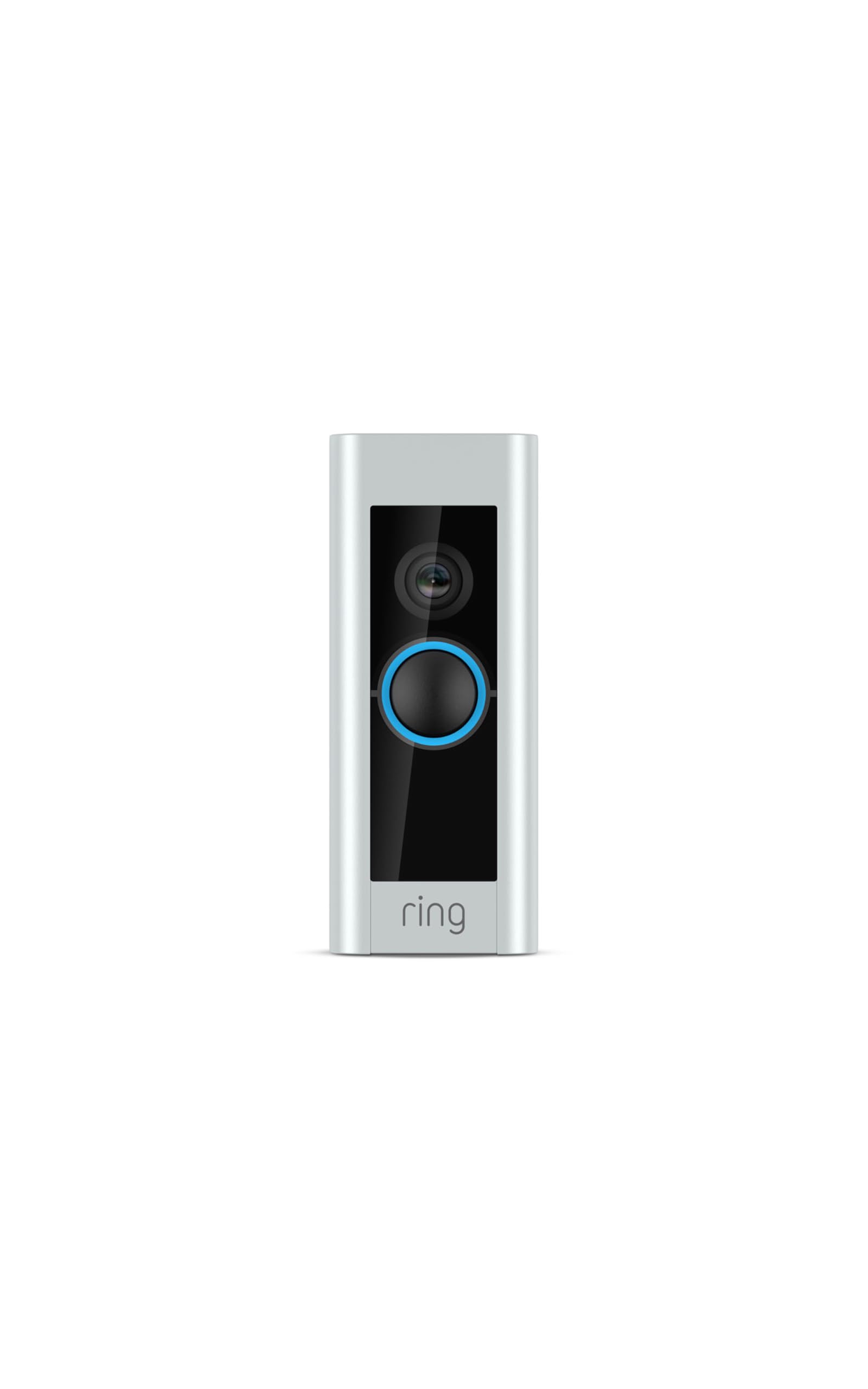
🚪🔔 Upgrade your doorstep game with Ring Wired Doorbell Plus — never miss a moment, always stay connected!
The Like-New Ring Wired Doorbell Plus is a certified refurbished smart doorbell featuring 1080p HD video, advanced motion detection with customizable zones, and dual-band WiFi for reliable connectivity. It installs easily using existing doorbell wiring for continuous power and integrates seamlessly with Alexa for hands-free visitor greetings. Designed for professionals who demand security and convenience, it offers real-time notifications and works best with a Ring Protect subscription for enhanced features.
| Average install time | ~15 minutes |
| Video | 1080 HD Live Video, Live View, Color Night Vision |
| Field of view | 160° horizontal, 90° vertical |
| Motion detection | Advanced Motion Detection with Customizable Motion Zones |
| Audio | Two-way audio with noise cancellation |
| Power | Hardwired Requires a compatible doorbell, Ring plug-in adapter or transformer (not included): 16-24 VAC, 40VA max, 50/60Hz No halogen or garden-lighting transformers; Ring DC transformer/power supply only |
| Internet requirements | High-speed internet |
| Connectivity | Connectivity 802.11 b/g/n Wi-Fi connection @2.4GHz and 5.0GHz |
| Operating conditions | -5°F to 120°F (-20.5°C to 48.5°C), Weather Resistant |
| Available colors | Satin Nickel |
| Dimensions | 4.50 in. x 1.85 in. x .80 in. (114.3mm x 46.7mm x 20.3mm) |
| Box Includes | Video Doorbell Pro, Satin Nickel Faceplate, Pro Power Kit, Installation Tools and Screws, Wedge and Corner Kits, User Manual, Security Sticker. Ships with a Satin Nickel faceplate. |
| Setup requirements | Standard doorbell system, Ring plug-in adapter or transformer with 16-24 VAC, 40VA max, 50/60Hz; Ring DC transformer/power supply only. |
| Warranty and service | 1-year limited warranty and service included. Use of Security Cameras is subject to the terms found here. License information can be found here. This device receives the same limited warranty as a new device. Learn more about Like-New Amazon devices. |
| Support | Click here to view more information on the Ring Video Doorbell Pro support page. |
| Generation | Ring Video Doorbell Pro |
| Disclaimers | 1Ring Alarm and all Ring Alarm accessories require a compatible Ring subscription (sold separately) for digital arming/disarming and certain [other in-app features]. [Customer reviews may reference features that require a subscription.] |
F**R
Works great and great piece of mind with a couple of caveats before you buy
Cliff notes ************* It's great assuming your doorbell transformer meets Ring's voltage recommendations, your wifi signal strength is adequate, you properly configure motion detection settings/alerts and your internet connection speed is decent. Video quality is adequate but not great. It's good enough to see what is happening at your door. ************* We have a couple security cameras already but they are wired to an NVR recording box and the notifications are so slow or don't even send that I can't really rely on it for real-time notifications. For a while I've resisted the notion of paying for surveillance when I can just get a cam with built in SD storage and a nice app like the Wyze cams (which I have inside and love) but having motion and video alerts and footage that can't be stolen or storage get corrupted and a well made phone app is worth $3 a month. I also like that if I decide to add more Ring cameras I can add as many as I want with the 10 dollar plan. Take notes here Nest. As for the doorbell itself, install was straight forward. I did have to upgrade my transformer for this. I installed the Endurance pro 24v unit. It was only a few bucks more than the 14v devices which apparently are the bare minimum Ring recommend. I figured that the extra voltage gives me some headroom to add a smart thermostat if I decide to do that in the future and after discovering how much of a pain it was to access my doorbell transformer in the attic, I'm glad I only had to do this once. Make sure you locate yours before deciding on this model doorbell or the Ring 2 which would have been at least an hour or two shaved off the install time. Once I setup the motion detection zone, basically all false positive alerts are gone. I have the motion detection setting in the middle of the 5 settings. Lowering it doesn't detect the postman at the mailbox despite it being in the motion zone. Notification on my phone is instantaneous. I tested while walking up to the door and it had notified me and I had pulled up the app before I even got to the door both when connected to my home wifi and when on LTE. The remote chime installed without any issues as well. Speaking of home wifi, this seems to be a big sticking point for some owners. I used an android phone app to measure signal strength at my door and it was around -60db (the closer to 0, the stronger the signal). As a network engineer who has implemented numerous small business and commercial wifi installations, for reliable video streaming, I would say if your signal strength at the door is -65 or closer to zero, you're good. If it's higher than -65 like -70 or -75~80, I would strongly recommend investing in upgrading your home wifi with a decent mesh setup like google's wifi, Orbi or EERO mesh. This will allow you to have a wifi access point closer to your door offering a much stronger signal for the doorbell to connect to. Wifi range extenders are hit or miss. They're less expensive than upgrading to a mesh setup but those have to piggyback off your existing wireless instead of just being a part of it and is generally more trouble than it's worth for the average user to setup. The final piece of this working well is your internet speed both upload and download. If you are in a rural area with less than a 10 Mbps connection down and less than 2 Mbps upload, you will probably not have the best experience as this thing is both having to upload/stream video data to Ring's servers and your phone is having to stream/download it from their servers. Ring's video is not that high of bitrate (quality) but still needs to stream that data to their servers before you can even download/see it. If your ISP is metered, you need to be aware that the doorbell is constantly sending video footage. Mine has uploaded 600 megabytes of data in 4 days. At that rate, it will transfer about 4.5 gigs of data in a month. If your data is capped, be sure that you have the headroom to allow the doorbell to stream video footage. FYI it needs to stream this because if something is triggered, that portion of the stream is probably flagged as something you should see and it snips the motion detection part of the stream and sends it back to you. This is why you see your activity video and at first nothing happens and then you see whatever it is that triggered the motion alert. It was recording before it actually saw something move. The only real gripe I have is that sometimes when you open the app to view an event that just got recorded, the app will say that it's processing and not available to play yet.
B**W
Great!
It does a real good job. The picture is good. It is easy to install. You really need to have at least the basic Ring Protect Plan ($3/mo) in order to take advantage of the features of this device. With the recording I can check my porch for packages, I can see who brought the packages, and if it comes to that I can see who stole them. I like the feature that allows me to describe the area from which to accept motion. Without describing and tightening the area, it will alert me whenever a car or joggers or bicycles go by on the street. I did move my wifi router closer to the front door in order to have a strong signal for the Ring device, but moving the router to the middle of the house also helped the function of several other devices. Make sure you install it at about 4-foot high so you can see the faces of the visitors. I had to move mine up from the original location of the doorbell button. -------------- Update (5/6/20) Device failed possibly due to power fluctuations. I reported the failure to Amazon and it was replaced in about 3 days. Thanks —————— Now we have 4 of these and really like them. All are working well.
M**Y
Utterly worthless. Will actively NOT recommend Ring to anyone.
So my wife and I decided to upgrade our doorbell and our security using the Ring, which is arguably the top name in camera doorbells. We picked up a package with a refurbished/reclaimed Ring Pro 2 wired and a new Chime for added wifi extension and indoor chiming, and just to be on the safe side, a doorbell transformer to ensure we had enough amperage for a powered doorbell. The Ring app makes everything look like the installation will be a breeze and that even if you only have two available brain cells to rub together, you can install this and it will be up and running in no time, no issue. And to be fair, hardware-wise, it's not altogether difficult. Connecting the wires (ours are like 22 gauge, really tiny and difficult to strip, but good enough that the doorbell was receiving good power) was not difficult, and we required no drilling. And then we worked with connection. The wifi signal wouldn't connect. The Chime Pro would create its own wifi connection and wouldn't recognize the Ring Pro. The baseline wifi (Xfinity extended through an Eero system) to our house would recognize the Ring Pro, but the Ring Pro wouldn't connect to it. We followed all the troubleshooting the Ring App would walk us through, which basically boiled down to killing the power on the wifi and/or the circuit, and running the Ring Pro/Chime Pro through their setup again. We did this, in varying steps, eight different times. Finally, after more profanities than I could count, the Ring Pro connected, security camera showed in realtime, everything was sis-boom-bah and working, and I even connected us to the Ring paywall for a yearly fee to ensure we had recording capability. That worked for a total of six hours. By the next day, the Ring was offline again, and I blew an entire weekend turning off power, trying to figure if there was an intermittent connection, if it was our Wifi/Chime Pro connection, our Wifi/Ring connection, our Chime/Ring connection, or some quirk of hardware, turning on the power, going through setup AGAIN, and getting squat. Finally I called the Ring Customer Service number, which involved a service tech walking me through the same procedure again, turning off power, going into setup mode, verifying that it was receiving power (it was, at a good clip), finding the wifi, all of that. And nothing. So the Ring Tech sent out a replacement Ring Pro 2. We installed the replacement Ring Pro 2, and voila, it connected right up, and everything was fine. This time for 4 hours. And then it went offline, and no amount of turning off, turning on, going into setup mode all OVER again, or anything, caused it to come back on. Frustrated, we spent six days without a doorbell at all. My wife eventually decided to take a crack at it and managed to get it back online, and then the Ring would intermittently go back offline, but still record events, which according to the net is a recurring issue with these doorbells. And finally, after two days, it had enough and didn't even record those. So after screwing around with it for another four hours on an extended weekend, we've had enough. We're returning it and the replacement, at the hope of maybe getting back our ridiculous investment of time and money, and will potentially look at another camera or something that doesn't have the shoddy connectivity of the Ring and Chime, and I will actively tell others not to bother with it, as well.
Trustpilot
2 weeks ago
1 month ago