

Desertcart purchases this item on your behalf and handles shipping, customs, and support to Belize.
🔘 One Button. Infinite Smart Possibilities.
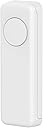
The THIRDREALITY ZigBee Smart Button is a versatile 3-way remote control designed for ZigBee 3.0 hubs like SmartThings and Hubitat. It offers customizable single, double, and long press actions to control multiple smart devices or scenes. With a compact wireless design, magnetic and adhesive mounting options, and a 3-year battery life powered by 2 AAA batteries, it delivers reliable, low-power smart home automation. Compatible with Apple HomeKit via an optional Smart Bridge, it supports OTA updates to keep your smart home future-ready.


| ASIN | B09ZQGZX3G |
| Additional Features | Ergonomic |
| Battery Type | Alkaline |
| Best Sellers Rank | #17,736 in Tools & Home Improvement ( See Top 100 in Tools & Home Improvement ) #28 in Home Automation Hubs & Controllers |
| Brand | THIRDREALITY |
| Button Quantity | 1 |
| Color | White |
| Compatible Devices | Fan |
| Connectivity Technology | ZigBee |
| Controller Type | Zigbee |
| Customer Reviews | 4.3 out of 5 stars 719 Reviews |
| EU Spare Part Availability Duration | 3 years |
| Item Weight | 1.44 ounces |
| Manufacturer | Third Reality, Inc |
| Max Number of Supported Devices | 1 |
| Maximum Number of Supported Devices | 1 |
| Maximum Range | 10 meters |
| Mfr Part Number | 850001595575 |
| Model Name | 3RSB022Z |
| Model Number | 850001595575 |
| Number of Batteries | 2 AAA batteries required. |
| Number of Items | 1 |
| Special Feature | Ergonomic |
| UPC | 850001595575 |
| Unit Count | 1 Count |
M**T
Solid Buttons
These smart buttons have worked well with my Home Assistant setup. I mainly use them to control lamps with Zigbee smart bulbs, and they're quick to respond and easy to configure for different automations. I don't use them every day since most of my lighting is controlled by Inovelli switches and automations, but they're great to have available. They're especially useful for guests or anyone who just wants a physical button instead of using an app or voice assistant. Setup was simple, battery life has been good, and they've been reliable. If you're looking for an easy way to add physical controls to your smart home, these are a great option.
J**L
This is the smart button that I imagined
Excellent: comes with batteries, pairs easily with Home Assistant. Comes with stickers, and a pair of adhesive magnetic strips. Works well, comes in colors, connects easily, good ergonomics (good size/shape).
D**L
Reliable
This is a decent button. Works as described with good battery life. Had it for 8 months and battery still at 90%. I use it with Home Assistant. Deducted 1 star for the style. I prefer a smaller, round button.
A**R
Reliable, Versatile, and the Perfect Smart Partner!
This THIRDREALITY Zigbee Smart Button is easily one of the most reliable additions to my smart home. It paired instantly with my hub and offers a rock-solid local connection—a lifesaver for controlling lights when the internet goes out. The 3-way control (single, double, and long press) provides great versatility, and I love that it uses standard AAA batteries instead of those annoying coin cells, making maintenance much easier. I’ve specifically paired it with the THIRDREALITY R3 Presence Sensor, and they work perfectly together; while the R3 handles the automated presence detection, the button gives me a quick, tactile way to override scenes or trigger specific routines without needing to use voice commands. It’s compact, responsive, and available in different colors for easy room identification—definitely a 5-star product for any Zigbee-based setup!
F**A
Easy use, easy setup, and great for home automation
This smart button ended up being way more useful than I expected. Setup with my Zigbee hub and Home Assistant was pretty straightforward and it connected without any issues. I like that there’s no wiring involved, so you can pretty much place it anywhere around the house. The three buttons give you a lot of control since each one can do different actions with a single press, double press, or hold. I currently have mine set up for lights, movie mode, and an all off bedtime routine. Makes things a lot more convenient instead of constantly opening apps on my phone. The buttons feel responsive and the size is compact without looking cheap. Another thing I appreciate is the rechargeable battery so I don’t have to keep swapping out batteries every few months. Solid little addition for anyone building out a smart home setup.
S**O
Garage Opener: Worked Only When Zigbee Was Always Connected
I am experimenting this smart button as a garage door opener remote. This device connected to my Home Assistant immediately, and easy to incorporate into automation. The blue LED indicator comes on when the button is placed but pretty faint, so it's hard to see the blue light especially during the daytime. While I can open the garage door from the inside the house reliably, but not from outside the house - due to the limited range of zigbee. Since the remote will go offline when the remote is away from the house and need to reconnect to the network, this may be why the remote will not open the garage door immediately. I am still optimizing zigbee network, but beginning to think that my old 90s garage door remote is more reliable and has a better range than zigbee-based remote. I tried another company's zigbee remote, but no better, possibly worse than this one. Update: I ended up using a wifi-based smart button as a garage door opener, which I found it more reliable. Reconnecting to the zigbee network is too slow (I think). I still like using this zigbee button for disarming my blink system and as a smart light switch, in both cases, the button is always connected to my zigbee network at home. Unlike a bluetooth based button used in the same circumstances, this zigbee button works 100% of time. Update 2 (August 2025): Almost a year since I purchased this zigbee remote. I now have three in my house for arming/disarming my blink system and turning on/off my bedroom light. I gave up all smart options (zigbee, bluetooth, wifi buttons) as a garage door remote in the car - I think reconnecting to the home network just takes too long so I went back to the original RF remote. From inside the house, no problem though.
D**P
Quit working the first day
Initially it connected to Home Assistant fine as a button with single press, double press, and long press functioning as it should. Within a few hours it stopped working. I reinstalled it only now it wouldn’t recognize it as a button. It said switch, but it would not even function as a switch. No matter what I did or how many times I removed, reset, and reinstalled it, it wouldn’t work. The only good thing about it is that it broke early on where I could return it for a full refund.
G**C
Inexpensive Hack for Echo Zigbee Hub
This review is for use with the Zigbee hub that’s available in some Amazon Echo devices as of 8/22/25. Functionality may be different on other platforms. I needed a quick hack for a decoupled wall switch, for manual control of a ceiling fixture with a newly installed color-changing smart bulb. In other words, the bulb must always have power, but occupants still need a physical switch. I’m using Echo’s as distributed Zigbee hubs and prefer not to add-to or replace this setup with any third-party hubs at this time, despite the more advanced capabilities and Z-Wave support that would be provided. This limits my options, but they include this Third Reality Zigbee Smart Button at a very low-cost. Pairing and learning how to operate this button took a few tries because it doesn’t work with Echo as described in the included Quick Setup Guide or the downloadable full User Manual. However, I found an online FAQ that had most of it right. Key points of my findings are: 1. You must press the internal reset button 5 times quickly to switch it into Echo pairing mode (with a red flashing light). 2. Tell Alexa “discover devices” rather than trying to add it yourself through the app, because you may never find the correct type of thing to add. 3. Echo considers it a Contact Sensor, not a Motion Sensor or any other device type as suggested by various misinformation around the web. 4. Contact Sensor emulation works as follows: a. Single button press = Open – I’ve mapped this to a routine that turns the light on at a certain brightness and color (I know, it’s the opposite of open) b. Double button press = Closed - I’ve mapped this to a routine that turns the light off c. Long button press = Toggle state Also, I think Echo enforces delays on accepting sensor state changes, because the routines don’t always fire within a shorter sequence of button presses (such as in testing). Perceived limitations aside, I think this will be a useful device in various upcoming applications. I’ve owned it for 3 hours. I hope the batteries last the advertised 3 years. For the decoupled light switch application, more elegant solutions are available but at 3 times the price. This Third Reality Zigbee Smart Button is a fair price for what it does.
A**.
Cannot be added to Smart Life, Tuya
Cannot connect to Smart Life, Tuya or any other app. Therefore useless.
A**R
Good value
Superb piece of kit, easy to add to IoT se-up and highly effective and adaptable - recommended
Y**R
Won’t stay synced
I have to re-pair them with Alexa routine almost every time I use them. Such a pain
G**G
Restricción geografica para mexico/Desprograma
El equipo no funciona directo con alexa aunque tenga zigbee, se ocupa un hub, si estas en mexico tienes que hacer el cambio de pais en ka configuracion de tu alexa, de lo contrario el skill no funcionara, tiene restriccion geografica una vez que lo haces eso funciona muy bien. Cuatro estrellas debido debido a que tengo que usar hub adicional y cambiar zona geografica en alexa. Adicional a esto cada que hay un corte de electricidad hay que configurarse de nuevo.
V**.
Buenas calidad pero no funciona en todas las aplicaciones
No es compatible con smartthings, no han añadido controlador, aunque lo reconoce no puedes generar rutinas.
Trustpilot
2 days ago
3 days ago