
🤖 Code. Play. Innovate. Own the future of fun!
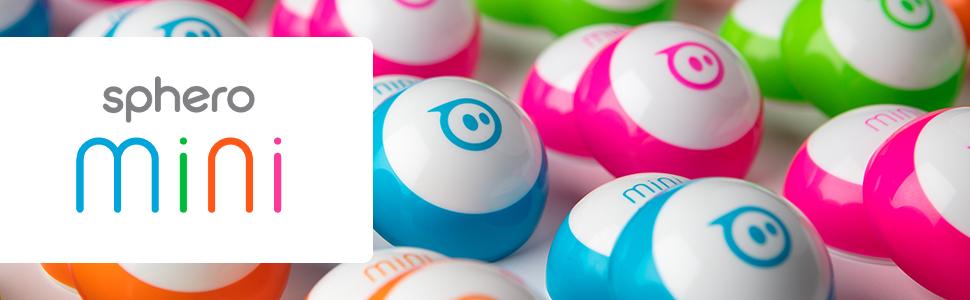
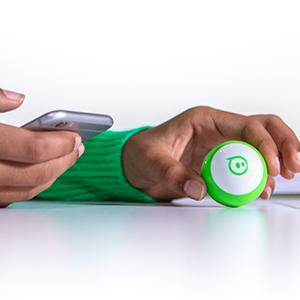
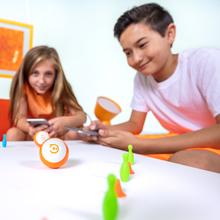
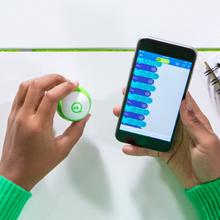
Sphero Mini (Blue) is a compact, programmable robot ball equipped with gyroscope and accelerometer sensors, controlled via Bluetooth through intuitive apps. Designed for kids 8+, it offers multiple interactive game modes and coding options—from beginner-friendly blocks to JavaScript—making it a perfect blend of education and entertainment that fosters STEAM skills and creativity.

| ASIN | B072B6QVVW |
| Batteries | 1 Lithium Metal batteries required. (included) |
| Best Sellers Rank | #8,881 in Toys & Games ( See Top 100 in Toys & Games ) #13 in Remote- & App-Controlled Robots |
| Customer Reviews | 4.6 4.6 out of 5 stars (5,492) |
| Is Discontinued By Manufacturer | No |
| Item Weight | 3.87 ounces |
| Item model number | M001BRW |
| Manufacturer | Sphero |
| Manufacturer recommended age | 8 years and up |
| Product Dimensions | 1.57 x 1.57 x 1.57 inches |
| Release date | September 29, 2017 |
K**4
Fun! Surprisingly.
Ball is very small and I purchased this as a stocking stuffer. It’s a great toy though. Easy to use and fun. This can actually be a toy for a kid or an adult. I don’t have a car but I’m sure they would love batting this around.
C**E
Interactive
It's great for kids, it's interactive and you can control it from your cell phone too
J**N
SO VERSITILE
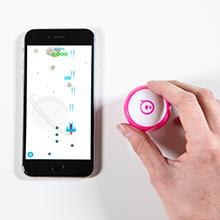
This hopefully short review will feature 2 parts. A casual fun side, and "I like to develop video games or robotics" side. CASUAL: First off, this will drive on carpet, as long as it's not too thick! This thing this fun right out of the box! It has all sorts of intuitively built functions, albeit with a couple issues. Driving it around, it has multiple fun ways to accomplish this task. The stick controls work well but are finicky. However it's still quite fun. Feels like you're directing a drunk driver around, as it seems to function like a weirder version of a quadcopter drones' headless mode. Frustrating and hard to control, but extremely fun. The other driving modes are weird but neat. It has a tilt control mode, which is hard to get working properly, as it still feels like it has a weirdly programmed headless mode. So it can get confusing. It also has an entertaining "golf" mode. The golf mode is fun but is hard to learn at first. Your swiping of your phone is hard to get used to, because the angle and side you're swiping is asynchronous to the way you aim the actual ball. Swipe any way you want, and it will only go the way you aimed before you swiped. The other driving modes are poorly made gimmicks, not worth mentioning. The games are fun, but the controls make it irritating and sometimes not responsive. Yes, it comes with games. You use the ball as the controller to move a ship across a screen, or drive a car. Very neat! If these were the only functions of the ball, I would give this ball a 3.5 out of 5, or a 4 out of 5. Fun, but eventually an adult like myself will grow tired of it. This concludes the casual part of the review. Are you a game developer or robotics developer? Yes? Enjoy your new toy! If you install the education app, you will quickly find yourself in a funland! It seems to run on javascript, and at the time of this review, I haven't checked that completely. However, I've looked into it's engine. Yes, this app seems to have a javascript powered engine, which functions similar to Unreal Engine 5's blueprints system. THE FUNCTIONS REALLY SURPRISED ME! (but if you're serious about having fun with this ball, buy the advanced version) This ball has axis positioning check features, collision check bools, airborne bool checks, landing from airborne collision check bools, sound effect functions, LED color change functions, variables, functions, loops, and probably more than what I saw in just a couple minutes of looking into the app. It absolutely blew my mind when I looked into the app. I seriously recommend one of these if you want something to mess around with for farts and laughs. But if you want a fuller experience, you should probably buy the 200 dollar version. OVERALL: I love this ball! I can't wait to see what I can do with this coding wise!
G**W
Yes, these can go on almost any carpet, maybe not fluffy carpets if you have that. Why?
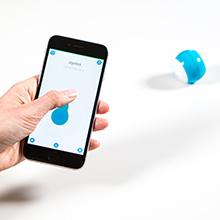
Bought this for my niece for Christmas and myself one to so we both can play around with team. This is a cool little remote control spear “Ball” you will need to download the App to control it, well for a iPhone and iPad. App is super easy to use and gives you different control options to use. Controlling it on hard surface moves quick and the direction you choose, sometimes it doesn’t go the direction you want it to. This also works in carpet but movement is a little off due to the rugged surface. Like a truck driving on the backroads, little bumpy and may get stuck. If you do get multiple Balls make sure you sync them away from each other or Balls will sync to the close device when you try to sync it. Like a good distance away, maybe another room. Battery life not really sure how long they last, we’ve used it about 10mins for a couple of days before we had to charge it. It’s a fun little gadget to play with if you are into remote control stuff, if not this will be boring to you and you should not buy this.
M**Y
Fun little toy for all ages
The Sphero mini is a super fun little robot. The apps make it a great option for all different ages. The user interface is really simple and easy to understand. I’ve used it with my own kids during homeschooling and with larger groups during a technology program. I’ll definitely be getting more of these in the future.
5**E
Best Cat Toy Ever
I've owned a few Sphero products, and this one by far is the most useful, for my cat that is. My cat loves this thing! Don't know about the "STEM" value, but the it should really be sold at pet stores. It's easy to set up on you ipad or iphone, just install the app. No registrations, or pairing, so anyone with a smartphone could control it. I've only had a few problems, One, it seems to disconnect from the bluetooth while using it more often than you think it should. Two, it quickly loses orientation, and will go off in the wrong direction. Probably just a characteristic of the gyros, and the device being so small. It would be nice if the UI was designed to quickly put it back into orination mode, but currently, this is a little awkward. Three, like most small RF battery powered vehicles, it doesn't work on thick carpet. You''l need hardwood floors for best performance. Other than that, it's great. I would like to buy additional shells for it, but they're hard to find, and typically more expensive than buying a new ball. Please offer new shells for sale.
G**Y
Amazing!!
These are so fun for middle schoolers to adults. My kids loved playing with them so I bought my nephews these for Xmas. They love coding so this fit in with their robotics love! Small and compact. Great quality as it goes off jumps, runs into walls. Great choices of fun accessories too.
K**S
Mixed opinions, full sized may be better bet.
Mixed opinions on this. It is fun and our cats do seem to appreciate it. I got the plain white one and the seem looks very cheap. I am wondering if the colored ones are just the plain white but include a band for the outside. If that is the case might as well get a color. I did not realize it lit up, which was a pleasant surprise as it kept the cats interested and made it easy to find if it rolled under furniture. Battery life seemed about right. Probably fine for the price, but still pretty expensive relative to what I expect is a much better quality full size version.
A**Y
My Son, and my dogs love it! Also fun to bring to the golf course.
R**Y
It is soo good
F**E
Kommer med lite olika spel där man kan använda sphero mini som joystick. Kul att leka med en stund på regniga dagar.
J**I
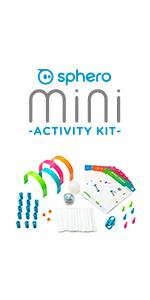
Wenn man nicht erst lange Basteln will, kann man z. B. mit kleinen (=> 5Jahre?) Enkeln sofort mit Steuern und dann Scratchprogrammierung starten. Wenn die Enkel dann älter werden, geht auch JavaScript. Natürlich kann man mit den Legokonstruktionen & Scratch noch viel mehr machen; da braucht man aber für den Start etwas mehr Geduld.
H**N
Such fun. My kids and I have been having a ball learning to program the Sphero mini. We found lots of ideas on their website and the app to learn how to use it. While the coding is great, the drawing option is not terribly accurate, but fun all the same.
Trustpilot
5 days ago
1 month ago


